


LearnDash is a WordPress learning-management system used to create and sell online courses. Unlike hosted platforms such as Teachable and Thinkific, LearnDash operates inside WordPress, giving course owners considerable control over their website, content, branding, customer data, and technical infrastructure.
This flexibility is LearnDash’s principal advantage. Creators can select their own hosting company, theme, page builder, payment system, and marketing integrations. However, that control also creates additional responsibilities involving hosting, security, backups, performance, software updates, and plugin compatibility.
LearnDash is therefore most suitable for creators and organizations that want a customizable, self-hosted learning platform and are comfortable maintaining a WordPress website.
Bonus Free Guide Included
What Is LearnDash?
LearnDash is a premium WordPress LMS plugin for individual educators, training providers, universities, membership organizations, and businesses.
Once installed on a WordPress website, it adds the functionality required to create structured learning programs containing courses, lessons, topics, quizzes, assignments, certificates, and learner groups.
LearnDash can support projects such as:
- Commercial online courses
- Employee training
- Professional-development programs
- Continuing education
- Certification courses
- Customer onboarding
- Membership academies
- School and university programs
- Nonprofit training
- Partner education
LearnDash provides the learning-management system rather than a complete online-business platform. Users may need additional tools for hosting, advanced email marketing, communities, sales funnels, accounting, video streaming, and customer support.
How LearnDash Works
LearnDash is installed on an existing WordPress website like any other plugin. It creates specialized content types for courses, lessons, topics, quizzes, assignments, groups, and certificates.
An administrator can build a course, establish progression rules, add lessons and quizzes, and determine how students receive access. Courses can be offered free, sold individually, included in a membership, or connected to an external ecommerce system.
Because LearnDash works inside WordPress, the final website’s appearance and functionality depend heavily on its theme, page builder, hosting environment, and collection of plugins.
Explore The AI-Linked Asset Class Elites are Investing In
LearnDash’s Main Features
Drag-and-drop course builder
LearnDash provides a visual course builder that lets users organize lessons, topics, and quizzes into a structured curriculum.
Creators can add new course components from the builder or reuse existing lessons and topics through shared course steps. Content can then be rearranged without manually editing every page.
A typical structure might include:
- Course
- Module or section
- Lesson
- Topic
- Quiz
- Assignment
- Certificate
The builder makes curriculum organization relatively straightforward, although users must still understand WordPress pages, templates, and content settings to control the complete student experience.
Lessons and topics
Courses can be divided into lessons and smaller topics. Each lesson or topic can contain text, images, audio, embedded video, documents, downloads, and other WordPress-compatible media.
LearnDash supports common formats such as PDF, Word, PowerPoint, audio, and video. Its documentation recommends external video services such as Vimeo, Wistia, or Amazon S3 for substantial video libraries because hosting large files directly on WordPress can overload the web server. See LearnDash’s official course-media guidance.
Course progression
Creators can choose how students progress through a course. Available structures include:
- Open access
- Free enrollment
- One-time purchases
- Recurring subscriptions
- Closed enrollment
- Sequential progression
- Free-form progression
- Prerequisites
- Lesson completion requirements
- Quiz-passing requirements
Linear progression prevents learners from skipping required material, while free-form navigation lets them move through the curriculum in their preferred order.
Drip-fed content
LearnDash can release lessons according to a schedule rather than making an entire course immediately available.
Content can become accessible on a particular date or a defined number of days after enrollment. This is useful for cohort programs, memberships, and courses designed to prevent learners from moving too quickly.
Focus Mode
Focus Mode provides a distraction-reduced course layout with lesson navigation, progress indicators, and a cleaner learning interface.
It can help create a more consistent student experience without requiring the course owner to design every lesson template manually. However, the available design controls may still depend on the WordPress theme and customizations.
Quiz builder
LearnDash includes a quiz builder with several question formats, grading options, time limits, attempts, and feedback settings.
Question types include options such as:
- Single choice
- Multiple choice
- Free choice
- Sorting
- Matching
- Fill in the blank
- Essay
- Survey
Quiz questions can award different point values, display hints, provide immediate feedback, and draw randomly from question banks.
More advanced assessment requirements may need add-ons or custom development, particularly when an organization requires detailed psychometric analysis, secure examinations, or complex regulatory reporting.
Assignments
Instructors can require students to upload assignments before continuing. Administrators can review submissions, leave feedback, award points, and approve or reject the work.
LearnDash supports common document formats through the WordPress media system. Administrators should establish clear file-size and file-type rules to protect server performance and security.
Certificates
Creators can award certificates after students complete a course or pass a quiz. Certificates can include dynamic information such as the learner’s name, course title, completion date, and score.
Advanced certificate design, verification, expiration, or recertification workflows may require additional plugins or custom development.
Course points and prerequisites
LearnDash can assign points to completed courses and require learners to earn a particular number before unlocking new material.
Course prerequisites can also restrict enrollment until a student completes one or more earlier courses. These features help creators construct learning paths rather than sell only isolated courses.
Student profiles and dashboards
Learners can view enrolled courses, progress, quiz results, certificates, and other account information through front-end profile pages.
The exact appearance and available information depend on the site configuration, theme, templates, and add-ons. Creating a polished customer dashboard may require design work beyond the core installation.
Groups
LearnDash Groups allows administrators to organize learners into cohorts and assign group leaders. A group leader can monitor designated students and view selected progress information without receiving full administrative access.
Groups are useful for:
- Corporate departments
- School classes
- Client organizations
- Membership tiers
- Coaching cohorts
- Bulk course enrollment
More advanced organizational hierarchies, group sales, and management features may require the paid Groups Management add-on.
Reporting
The core platform provides student, enrollment, progress, quiz, and assignment information. Data can also be exported for further analysis.
Organizations needing detailed reporting may require ProPanel, a paid LearnDash add-on that provides improved dashboards and tools for monitoring learner activity, assignments, and progress.
Reporting is an area where the total implementation cost can rise. Organizations should define their reporting requirements before selecting a license or purchasing add-ons.
Ecommerce and course sales
LearnDash supports free courses, one-time purchases, and recurring subscriptions. It connects with payment providers and ecommerce tools such as Stripe, PayPal, WooCommerce, and Easy Digital Downloads.
WooCommerce is commonly used when a business needs:
- Multiple payment gateways
- Coupons
- Tax configuration
- Product bundles
- Detailed order administration
- Subscriptions
- Shopping-cart functionality
- Regional payment methods
LearnDash does not ordinarily charge a percentage of course revenue. Payment providers, ecommerce extensions, and external services may still apply their own fees.
Memberships
LearnDash can be combined with MemberDash or other WordPress membership plugins to restrict course and website content according to membership level.
This makes it possible to sell several courses through one recurring subscription or provide different content libraries to different customer groups.
Membership arrangements require careful testing to ensure that purchase, renewal, cancellation, refund, and access-removal rules work correctly.
Email notifications
LearnDash can send selected notifications when students perform certain actions, such as enrolling, completing a lesson, passing a quiz, or finishing a course.
For sophisticated campaigns, creators frequently connect LearnDash with a dedicated email-marketing or automation service. The core LMS is not a full replacement for platforms such as ActiveCampaign, Kit, or Mailchimp.
Integrations and add-ons
LearnDash’s WordPress foundation provides access to a large ecosystem of integrations. These may extend the platform with:
- Communities and forums
- Gamification
- Advanced reports
- Multiple instructors
- Group registration
- Gradebooks
- Ecommerce
- Email marketing
- CRM synchronization
- Event systems
- Certificates
- Zoom meetings
- Automation platforms
This extensibility is valuable, but every additional plugin creates another possible source of licensing costs, security exposure, performance demands, and compatibility problems.
AI course tools
LearnDash promotes AI-assisted tools for producing course outlines and quiz material. These features may help creators begin structuring a program more quickly.
AI-generated educational content should always be reviewed for factual accuracy, appropriate difficulty, originality, accessibility, and alignment with the course’s learning objectives.
Mobile application
LearnDash offers options for creating a branded mobile learning application. This is separate from the standard WordPress LMS license and may involve substantial additional costs and hosting requirements.
Recent reviews have reported serious problems with the mobile application, including cases where courses did not appear correctly. Businesses considering the app should conduct extensive testing before announcing a launch or relying on it for revenue-critical delivery.
LearnDash Pricing in 2026
LearnDash’s indexed official pricing structures the core WordPress plugin according to the number of supported installations. The one-site license costs $199 per year and covers a single WordPress website, while the ten-site license costs $399 per year and supports up to ten websites. The unlimited license costs $799 per year and can be used across an unlimited number of WordPress websites.
All plans include the core LearnDash LMS functionality, updates, and support during the active subscription period. LearnDash also advertises a 30-day money-back guarantee.
The official LearnDash product page currently displays these prices. Because the company has also tested bundles and alternative packaging, buyers should confirm the current checkout terms before purchasing.
One-site license
The one-site license costs $199 per year and is suitable for an individual creator, small business, or organization operating one WordPress learning website.
It provides the core course builder, lessons, quizzes, assignments, content protection, progression settings, certificates, payment integrations, and related LMS capabilities.
Ten-site license
The ten-site license costs $399 per year. It is intended for agencies, developers, training providers, or organizations operating several separate WordPress installations.
Before purchasing this plan, buyers should confirm whether staging and development installations count toward the license limit.
Unlimited-site license
The unlimited-site license costs $799 per year and is designed for larger agencies, multisite operators, and organizations deploying LearnDash across many websites.
Unlimited installations do not eliminate hosting, maintenance, support, or add-on costs for each website.
Bundles and Add-Ons
LearnDash sells optional add-ons and bundles for capabilities beyond the core LMS. Examples include:
- ProPanel
- Groups Management
- Instructor Role
- Gradebook
- Notes
- Ratings, Reviews and Feedback
- MemberDash
Individual add-ons commonly cost between $99 and $399 per year, depending on the product and number of sites.
LearnDash also offers bundled packages. One currently indexed official bundle containing LearnDash LMS, MemberDash, ProPanel, Groups Management, Notes, and Gradebook begins at $399 per year for one website. Other bundles may have different components and prices. Current offers are listed on the official LearnDash bundles page.
Hosting and Technical Requirements
Self-hosted LearnDash users are responsible for selecting a suitable WordPress hosting provider. Hosting requirements depend on traffic, concurrent students, plugins, media, reporting activity, and the complexity of the website.
Course websites should generally have:
- Current WordPress and PHP versions
- HTTPS
- Adequate PHP memory
- Reliable backups
- Malware protection
- Transactional email delivery
- Sufficient storage and bandwidth
- A staging environment
- Appropriate caching configuration
LearnDash supports the current WordPress release and the two preceding versions. Site owners must therefore keep WordPress reasonably current to receive reliable compatibility and support. LearnDash explains this requirement in its WordPress support policy.
A cheap shared-hosting plan may work for a small course catalog but struggle when many students take quizzes, submit assignments, or access content simultaneously.
LearnDash Customer Reviews
LearnDash receives generally favorable ratings, although user experiences differ according to technical skill and implementation complexity.
At the time of research, LearnDash on Capterra held approximately 4.6 out of 5 from 280 reviews, including an ease-of-use rating of 4.3 and a customer-service rating of 4.6.
LearnDash on G2 displayed approximately 4.2 out of 5 from 50 reviews. Users praised its flexibility, course progression, integrations, and ability to run on their own WordPress infrastructure. Criticisms included tracking issues, plugin complexity, slow performance, and inconsistent technical support.
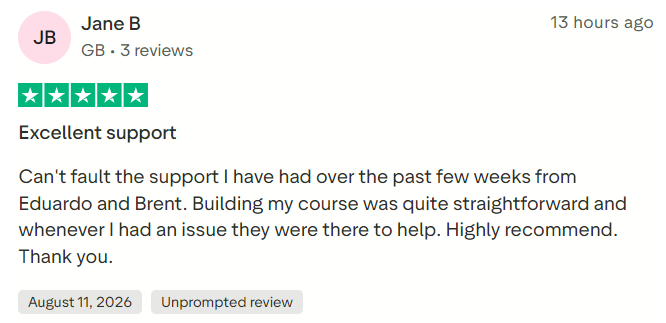
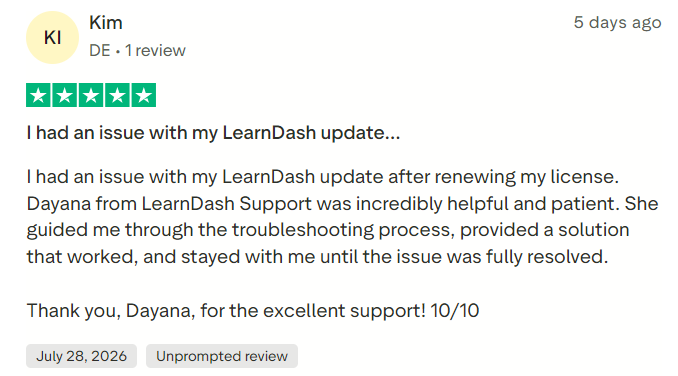
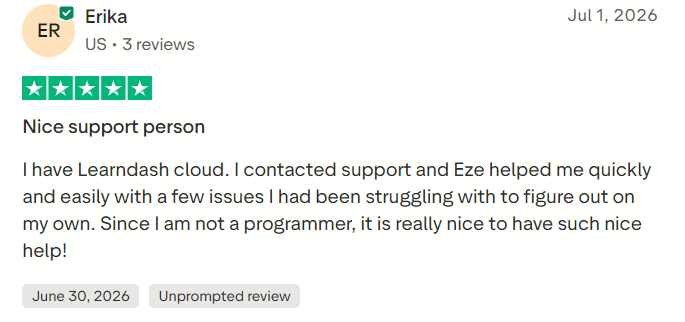
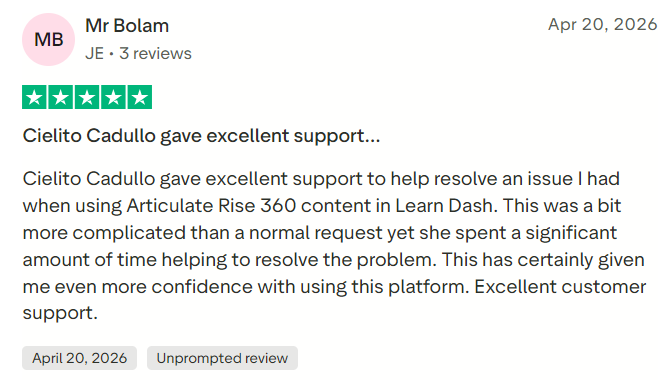
The LearnDash Trustpilot profile showed approximately 4.4 out of 5 from more than 200 reviews. Many reviewers praised individual support representatives, while some recent critical reviews described unresolved technical problems and slow support.
These ratings should be interpreted alongside each reviewer’s hosting environment, plugin stack, and technical requirements, since not every problem attributed to LearnDash necessarily originates in the core plugin.
#1.
#2.
#3.
#4.
LearnDash Pros and Cons
LearnDash offers several advantages, particularly for WordPress users who want strong control over their content, branding, and customer data. Its features include a drag-and-drop course builder, lessons, topics, quizzes, assignments, drip scheduling, prerequisites, certificates, course points, and group management.
It also benefits from WordPress’s extensive integration ecosystem, flexible ecommerce options, no standard per-student charges, and no percentage fee on course revenue. These capabilities make it suitable for independent creators and larger organizations, while its customer ratings are generally positive.
However, LearnDash requires users to administer a WordPress website and purchase hosting separately. There is no permanent free version, and licenses renew annually. Advanced features may require paid add-ons, while plugin conflicts, unsuitable hosting, or poor configuration can create technical and performance problems.
LearnDash also lacks a complete built-in email-marketing platform; external video hosting is often recommended, and advanced reporting can increase the overall cost. Creating a polished learning website may require professional development work, and some customers have reported serious problems with its mobile-app offering.
Is LearnDash Worth It in 2026?
LearnDash is worth considering for organizations that value ownership, WordPress flexibility, and control over their learning environment.
The $199 one-site license is competitively priced for a capable LMS. However, users should not evaluate it in isolation. Hosting, video delivery, premium add-ons, ecommerce extensions, security, and technical labor can raise the actual cost considerably.
LearnDash is less suitable for creators who want to upload a course and let the platform handle every technical detail. A hosted service may cost more in subscription fees but require less maintenance.
Before purchasing, prospective users should map their requirements for payments, subscriptions, reporting, certificates, group sales, communities, mobile access, email automation, and integrations. This reveals which add-ons and external services are required.
Limited Access – Join Now!
Final Verdict
LearnDash is one of the strongest WordPress LMS options for creators and organizations that want a customizable, self-hosted course platform. It provides robust course progression, quizzes, assignments, certificates, groups, and monetization options without charging according to student count.
Its principal weakness is the technical responsibility it places on the owner. Building a reliable commercial academy requires more than installing the plugin; it requires suitable hosting, compatible software, regular maintenance, and careful testing.
