

Most coaching software is built around administration. It helps the coach schedule appointments, send invoices and store contact information. These are useful functions, but they do not necessarily improve the coaching itself.
A calendar can tell a client when the next session begins. It cannot persuade that client to complete the action they enthusiastically promised to complete during the previous session.
CoachAccountable approaches the problem differently. It includes the ordinary business-management tools, but its central purpose is helping clients follow through between sessions. Coaches can assign actions, track metrics, distribute worksheets, record insights and build structured programs that continue working after the video call ends.
After researching its current features, pricing, limitations and customer reviews, my conclusion is highly positive. CoachAccountable is one of the most thoughtfully designed platforms available for general coaching businesses. It is particularly strong for coaches who consider accountability, measurable progress and between-session engagement central to their service.
It is not ideal for every practice. The interface is available only in English, it does not offer a conventional native mobile app, and it is explicitly not HIPAA compliant. Its pricing also rises according to the number of active clients.
Even with those qualifications, I give CoachAccountable 4 out of 5.
Bonus Free Guide Included
What Is CoachAccountable?
CoachAccountable is a web-based coaching management platform founded in 2012. It serves individual coaches, coaching teams and organizations delivering structured programs.
Its principal tools include:
- Client profiles
- Action plans
- Progress metrics
- Session notes
- Worksheets and forms
- Courses
- Group coaching
- Appointment scheduling
- Contracts and agreements
- Coaching packages
- Invoicing
- Recurring billing
- File sharing
- Email and SMS reminders
- Client journaling
- Whiteboards
- Program reporting
- Team management
- Company accounts
- Public coaching offers
- Zapier and API access
The name describes the product’s philosophy. CoachAccountable is not merely trying to keep the coach organized. It is designed to create a shared system in which commitments, progress and results remain visible to both coach and client.
That difference sounds subtle, but it changes the product considerably.
A conventional client portal stores information. CoachAccountable tries to influence behavior.
My CoachAccountable Review at a Glance
CoachAccountable is best for life coaches, business coaches, executive coaches, accountability coaches, ADHD coaches, career coaches and other practitioners whose clients work toward defined goals over time.
Its strongest features are:
- Action tracking
- Measurable progress metrics
- Custom worksheets
- Shared session notes
- Automated reminders
- Courses with accountability elements
- Group-coaching support
- Flexible active-client pricing
- Unlimited coach and administrator accounts
- Excellent public customer-service feedback
- No platform fee on client payments
- A 30-day trial without a credit card
Its main limitations include:
- English-only interface
- No traditional native iOS or Android app
- Not HIPAA compliant
- Limited built-in marketing functionality
- No specialized workout or meal-planning tools
- Pricing that increases as the client roster grows
- A substantial learning curve if every feature is enabled at once
I would recommend CoachAccountable to a serious coach who wants software to improve client delivery—not merely process bookings and invoices.
What Makes CoachAccountable Different?
CoachAccountable’s foundation consists of four deceptively simple tools: Actions, Metrics, Session Notes and Worksheets.
Actions are commitments the client agrees to complete. Metrics measure the numbers connected to the client’s goals. Session Notes preserve insights and decisions. Worksheets collect reflection, preparation and assessment outside the coaching call.
Together, these tools create continuity.
Without a system, a coaching relationship can become a series of pleasant conversations. The client arrives, discusses a problem, feels inspired and leaves with an intention. Two weeks later, everybody returns and vaguely attempts to remember what was decided.
CoachAccountable records the decision, reminds the client and shows whether anything changed.
This does not guarantee results. No software can force a person to complete difficult work. But it reduces the ability of commitments to evaporate quietly between sessions.
The coach also gains evidence of progress. Instead of relying on broad statements such as “I think I’m doing better,” the client can review completed actions, tracked metrics and recorded milestones.
That makes the coaching process more concrete and may help demonstrate the value of continuing the engagement.
Explore The AI-Linked Asset Class Elites are Investing In
CoachAccountable Pricing
CoachAccountable uses an unusually straightforward pricing model. Every plan includes the complete feature set. The price changes only according to the number of active clients.
According to the official CoachAccountable pricing page, current plans include:
- 2 active clients: $20 per month
- 5 active clients: $40 per month
- 10 active clients: $70 per month
- 20 active clients: $120 per month
- 35 active clients: $200 per month
- 50 active clients: $250 per month
- 75 active clients: $340 per month
- 100 active clients: $400 per month
- 150 active clients: $600 per month
- 200 active clients: $800 per month
- 250 active clients: $1,000 per month
- 500 active clients: $2,000 per month
- 1,000 active clients: $4,000 per month
Additional levels fill the gaps between the largest tiers.
Every plan includes the same core features. There is no lower tier that displays an automation button and then explains that automation is reserved for people who have demonstrated greater financial commitment.
Only active clients count toward billing. A coach can deactivate someone when an engagement ends while preserving that person’s records. Inactive clients can continue accessing their historical information.
The platform automatically downgrades an account when its active-client count qualifies for a less expensive tier. There are no setup fees, cancellation charges or long-term contracts.
CoachAccountable also allows unlimited coach and administrator accounts without charging a separate seat fee. That is particularly valuable for teams, where per-user pricing can quickly become more expensive than the clients being served.
A 30-day free trial is available without a credit card.
Is the Pricing Fair?
For solo coaches, the pricing is excellent.
Someone beginning with two clients pays $20 per month and receives the full platform. A coach with ten active clients pays $70. If each client produces several hundred dollars in monthly revenue, the software cost remains a modest percentage of the practice.
The model also removes the anxiety of choosing a feature tier. A new coach can test courses, automations, groups and white-label options without upgrading.
The calculation becomes less favorable for high-volume, low-price programs. A membership with hundreds of participants can create a substantial monthly bill because each active participant counts toward the client limit.
At 100 active clients, CoachAccountable costs $400 per month. At 500, it costs $2,000. That may be perfectly reasonable for a high-value coaching organization, but expensive for a low-cost course or community.
The platform’s pricing aligns best with high-touch coaching, where each active client generates meaningful revenue. It is less naturally suited to inexpensive mass-market memberships.
Actions and Accountability
Actions allow coaches and clients to record specific commitments with due dates and reminders.
An action might be:
- Call three prospective clients by Friday
- Complete a résumé draft
- Exercise four times this week
- Have a difficult conversation with a manager
- Submit a business proposal
- Practice a new habit daily
- Finish a course module
- Record one positive result each evening
The client can mark the action complete, report progress or explain why it was missed. Automated email or SMS reminders can arrive before the deadline.
Coaches can review completion patterns and address repeated obstacles during sessions. This creates far more useful information than simply asking, “So, how did everything go?”
Actions can also be embedded in Courses, meaning each program module can produce a concrete commitment rather than merely another video to watch.
This is one of CoachAccountable’s strongest features because it translates coaching insight into visible behavior.
Progress Metrics
Metrics track numerical progress over time.
Depending on the coaching program, a metric could measure:
- Sales calls
- Revenue
- Hours of focused work
- Job applications
- Exercise sessions
- Sleep duration
- Stress ratings
- Confidence scores
- Writing output
- Habit streaks
- Customer conversations
- Team performance
Data can be displayed graphically so clients see trends rather than isolated numbers.
Metrics can also be connected to worksheets. A weekly check-in form might ask for the number of calls completed, and the answer can automatically update the relevant chart.
This helps coaches make conversations more evidence-based. If the client feels unproductive but the data shows a steady increase in completed work, the chart challenges the client’s perception. If the client claims everything is progressing beautifully while every metric is falling, the chart also has something to say.
Not every coaching goal can or should be reduced to a number. But carefully chosen metrics can reveal patterns that memory and emotion obscure.
Session Notes and Key Insights
CoachAccountable lets coaches record session notes, share selected material with clients and keep private information hidden when appropriate.
Notes can preserve:
- Important realizations
- Decisions
- Commitments
- Obstacles
- Session summaries
- Follow-up topics
- Coach observations
- Resources discussed
Key insights can be highlighted so they remain easy to find later.
This creates a cumulative record of the coaching relationship. Clients can revisit earlier breakthroughs rather than repeatedly rediscovering the same idea at considerable hourly expense.
The coach can prepare for sessions by reviewing recent actions, metrics, worksheets and previous notes in one place. That is more professional than opening a folder full of documents named things like “Client Notes Final New 3.”
Worksheets and Forms
Worksheets are flexible forms that can be assigned before or after sessions.
They can support:
- Intake questionnaires
- Session preparation
- Weekly reflections
- Assessments
- Goal setting
- Satisfaction surveys
- Progress reviews
- Program applications
- Accountability check-ins
Coaches can build custom worksheets or install pre-made resources and adapt them.
Forms can contain different question types, instructions and conditional structures. Responses remain attached to the client’s record, reducing dependence on email attachments and disconnected survey tools.
Worksheets are particularly valuable for session preparation. A client can report recent wins, current challenges and desired topics before the call. The coach begins with useful context instead of spending the first fifteen minutes reconstructing the previous two weeks.
Courses and Automated Programs
CoachAccountable Courses allow coaches to create structured programs that unfold over days, weeks or months.
A Course can contain:
- Written lessons
- Videos
- Files
- Worksheets
- Action assignments
- Metrics
- Reminders
- Session notes
- Automated messages
Content can be released according to a schedule or based on the client’s completion of previous material.
This differs from a conventional video-course platform because accountability tools are embedded directly in the curriculum. A lesson can ask the client to complete an exercise, track a result and report back rather than merely click “Next.”
Courses can support fully automated programs, high-touch coaching or a hybrid of the two. A coach might automate routine education while reserving live sessions for personalized discussion.
The course builder may not match a specialist learning-management system in visual customization, quizzes, certificates or academic reporting. Its advantage is integration with an ongoing coaching relationship.
Group Coaching
CoachAccountable supports Groups for cohort programs, masterminds and team coaching.
Group members can:
- Participate in shared discussions
- Complete assignments
- View shared resources
- Track group metrics
- Support accountability
- Progress through courses
- Attend scheduled sessions
Coaches can combine group-level activities with private individual work. A participant might share one metric publicly while keeping sensitive session notes visible only to the coach.
Group metrics can make collective progress visible and encourage participation. They must be configured thoughtfully, particularly when clients are discussing sensitive personal or business information.
The system gives the coach considerable flexibility over what members can see and how they interact.
Scheduling and Appointments
CoachAccountable includes appointment scheduling, calendar coordination and automated reminders.
Coaches can:
- Define appointment types
- Set availability
- Create booking links
- Limit scheduling windows
- Configure cancellation rules
- Send reminders
- Connect appointments to coaching packages
- Track remaining sessions or hours
- Integrate video-meeting links
Current video integrations include Zoom, Microsoft Teams and Google Meet. Appointments can automatically receive meeting-room links.
The Engagements feature connects scheduling with a client’s package. A six-session agreement can track how many sessions remain and notify the client when renewal approaches.
This avoids a common coaching-business problem in which both parties know a package exists but neither can confidently say whether the Tuesday call was session four or session five.
Contracts, Invoices and Payments
CoachAccountable supports coaching agreements, invoices, recurring billing and packages.
Coaches can create an Engagement that defines:
- Program duration
- Number of appointments
- Included coaching time
- Billing schedule
- Renewal conditions
- Client notifications
Payments can be processed through Stripe, Square or PayPal. CoachAccountable says it does not take a percentage of client payments; only the normal merchant-processing fees apply.
This is an important advantage over platforms that charge transaction commissions in addition to the subscription.
Invoices can be scheduled and automatically sent. Recurring billing supports subscription-style engagements, even when the package does not contain a fixed number of appointments.
CoachAccountable is not a complete accounting system. Businesses may still need bookkeeping software for expenses, reconciliation and tax reporting. But it can manage the financial side of the coach-client relationship effectively.
Limited Access – Join Now!
Client Signup and Offerings
The Offerings feature lets coaches publish packages that potential clients can purchase or sign up for online.
An Offering can combine:
- Pricing
- Payment terms
- A contract
- Intake questions
- Appointment allowances
- Course access
- Group access
- Automated onboarding
This allows a prospect to select a service, agree to the terms, pay and enter the appropriate program without the coach manually assembling each step.
CoachAccountable is not a complete marketing platform. It does not replace an advanced website builder, funnel system or email-marketing suite. But it handles the transition from interested prospect to active coaching client.
That is often where smaller practices lose time through repeated emails, documents and payment links.
Team Edition and Organizational Coaching
CoachAccountable supports coaching teams with shared resources, coach-client pairing, permissions and administrative oversight.
An organization can:
- Add unlimited coaches and administrators
- Assign clients to appropriate coaches
- Control who can view each record
- Standardize worksheets and courses
- Monitor delivery
- Generate activity reports
- Compare program results
- Manage company accounts
- Coordinate multi-coach engagements
Unlimited coach seats are a substantial benefit. Many business-software platforms increase prices with every employee login, creating the peculiar outcome that hiring an administrative assistant causes the software company to celebrate.
CoachAccountable bases pricing primarily on active clients instead.
Team Edition is suitable for coaching companies, internal leadership programs and organizations coordinating multiple practitioners.
Mobile Experience
CoachAccountable works on phones, tablets and computers through a responsive web interface. It can be installed as a web application for easier access, but it is not a conventional native app downloaded from an app store.
The benefit is consistency. Users access the same system without waiting for separate mobile versions to receive updates.
The disadvantage is perception and convenience. Some clients expect a dedicated iOS or Android application, particularly when paying for a premium coaching program. Native apps may also provide smoother notifications and device integration.
CoachAccountable compensates with email, in-app and SMS interaction. SMS availability is officially listed for the United States, Canada, the United Kingdom and Australia.
Coaches should test the mobile experience from a client’s perspective before making it central to a program.
Integrations and API Access
CoachAccountable integrates with payment processors, calendars and major video-meeting services. It also supports Zapier and provides API access.
Zapier can connect the platform with email marketing, CRM, spreadsheets and other external systems. The API gives technically capable organizations more direct control over data and workflows.
This matters because CoachAccountable is strong at service delivery but not intended to replace every marketing or accounting application.
A coach might use:
- WordPress for the public website
- ConvertKit for marketing email
- CoachAccountable for client delivery
- QuickBooks for bookkeeping
The integrations allow those responsibilities to remain separate without requiring constant manual data entry.
Security, GDPR and HIPAA
CoachAccountable lists features such as two-factor authentication, encrypted payments and customizable user access. It is GDPR compliant and says it extends those privacy rights to users worldwide.
However, the company explicitly states that it is not HIPAA compliant.
This is critical for healthcare-related users. Therapists, medical professionals and organizations handling protected health information should not assume that a coaching label removes their legal obligations.
If HIPAA compliance is mandatory for your practice, CoachAccountable says the platform is not suitable.
Coaches should also configure permissions carefully, particularly in groups and teams. The existence of access controls does not help if the administrator grants everybody access to everything.
Language Limitations
CoachAccountable’s interface is available only in English.
Coaches can create their own worksheets, messages, course content and templates in other languages, so much of what clients see can be localized manually. Browser translation may also help.
Nevertheless, navigation labels and system interface elements remain English. This can be a meaningful limitation for international coaching businesses serving clients who are not comfortable using English software.
A translated interface would make the platform substantially more accessible.
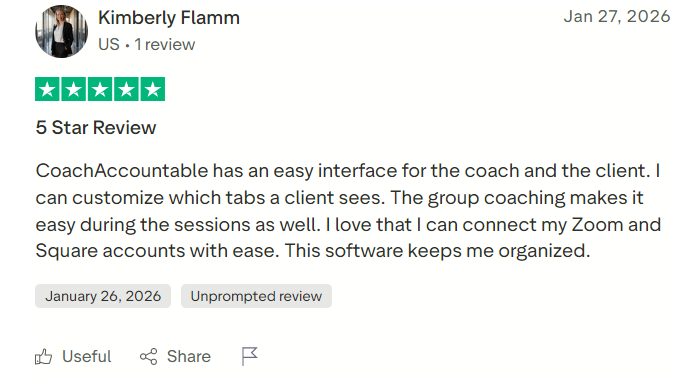
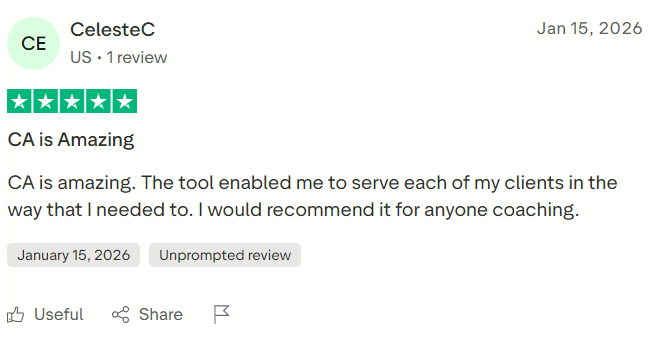
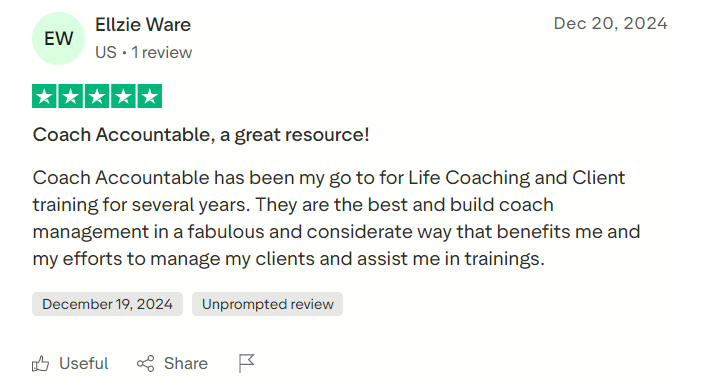
CoachAccountable Reviews: What Users Say
Public reviews are exceptionally strong.
At the time of research, Capterra reported an ease-of-use score of 4.7 and a customer-service score of 5.0. Reviewers frequently describe the platform as reliable, comprehensive and continually improving.
Trustpilot displays dozens of CoachAccountable reviews, with recent customers praising:
- Responsive, personal support
- Ease of customization
- Group-coaching tools
- Scheduling integrations
- Client organization
- Long-term reliability
- Continued product improvement
- The company’s visible care for coaches
G2 feedback similarly emphasizes customer support and the platform’s ability to simplify coaching engagements.
The volume of reviews is not enormous compared with mass-market software, but the consistency is notable. Several reviewers report using CoachAccountable for years rather than evaluating it after one onboarding call.
Customer service appears to be a genuine competitive advantage. The company remains small, and its founder is unusually visible in product development, support philosophy and long-form explanations of coaching practice.
A small team can provide exceptionally thoughtful service. It can also create key-person and capacity risk. Prospective enterprise customers may want to examine continuity, support and service-level arrangements carefully.
#1.
#2.
#3.
What I Like About CoachAccountable
The platform’s main advantages are:
- Built specifically to improve coaching delivery
- Excellent action and accountability tools
- Flexible progress metrics
- Strong worksheets and forms
- Shared session records
- Courses with behavioral follow-through
- Group-coaching support
- Integrated scheduling and packages
- Contracts, invoicing and recurring billing
- No platform commission on client payments
- Full features on every plan
- Fair active-client pricing
- Automatic plan downgrades
- Unlimited coach and administrator accounts
- Easy data export
- No credit card required for the trial
- Outstanding customer-support reputation
- Long operating history
The product feels as though it was designed by someone who understands that coaching happens between calls as much as during them.
What I Do Not Like
The main weaknesses are:
- No native mobile application
- English-only interface
- Not HIPAA compliant
- Pricing becomes significant at high client volumes
- No specialized workout or nutrition programming
- Limited marketing and funnel functionality
- Less visually polished than some newer competitors
- Course tools are not a full academic LMS
- Large feature set can initially feel complicated
- Small-company scale may concern enterprise buyers
None of these automatically disqualifies CoachAccountable. They simply define the type of user it serves best.
CoachAccountable Alternatives
CoachAccountable competes with platforms such as Practice, Paperbell, Simply.Coach, Profi, Delenta, HoneyBook and Vibly.
Paperbell emphasizes simplicity, scheduling and payment collection for individual coaches. Practice combines client management, messaging and program delivery with a modern interface. Simply.Coach offers comprehensive digital coaching management and strong organizational features. Profi serves professional service providers and coaching organizations. Delenta combines coaching administration with marketing and client management.
HoneyBook is broader client-management software for service businesses rather than a coaching-specific accountability platform.
CoachAccountable stands out when action tracking, metrics, worksheets and measurable client progress are the priority. Other platforms may be better when visual polish, native mobile access, marketing or a particular industry workflow matters more.
Who Should Use CoachAccountable?
CoachAccountable is a strong fit for:
- Life coaches
- Executive coaches
- Business coaches
- Career coaches
- ADHD coaches
- Accountability coaches
- Leadership-development programs
- Group-coaching businesses
- Coaching organizations
- Consultants using structured follow-through
- Coaches who want measurable client outcomes
- Teams requiring unlimited staff accounts
It is less suitable for:
- Therapists requiring HIPAA compliance
- Fitness coaches needing workout programming
- Nutrition professionals needing meal plans
- Non-English practices requiring a translated interface
- Creators selling low-cost programs to thousands of users
- Businesses needing advanced marketing funnels
- Coaches who only need scheduling and invoices
- Clients who insist on a native app-store application
Final Verdict: Is CoachAccountable Worth It?
CoachAccountable is worth it for coaches who want technology to strengthen the coaching relationship rather than merely administer it.
The platform’s Actions, Metrics, Session Notes and Worksheets create a meaningful structure for accountability. Courses and Groups extend that structure to scalable programs, while appointments, contracts, packages and billing handle the business side.
Its pricing is unusually fair for small practices. A new coach can receive the complete platform for $20 per month, and the account automatically moves to a cheaper tier when fewer clients are active. The absence of setup fees, cancellation penalties and platform payment commissions is equally welcome.
The shortcomings are real. CoachAccountable is not HIPAA compliant, offers only an English interface and relies on a mobile-friendly web application rather than a traditional native app. High-volume programs must also calculate active-client costs carefully. My final rating is 4.7 out of 5.
I recommend using the 30-day trial to create one genuine client journey. Build an intake worksheet, schedule a session, assign an action, track a metric, share notes and test the reminder system. View everything through a test client account rather than judging the product solely from the coach dashboard.
CoachAccountable will not make a careless coach attentive or an unmotivated client disciplined. What it can do is preserve commitments, reveal progress and make it harder for the work to disappear between sessions.
For a coaching platform, that is a far more meaningful accomplishment than simply sending another calendar invitation.
