

LearnWorlds is a cloud-based learning management system for creating, delivering, and selling online courses and training programs. It combines course authoring, interactive video, assessments, website building, communities, ecommerce, certificates, analytics, and mobile learning.
The platform serves individual course creators, training companies, customer-education teams, nonprofits, and larger organizations. Its principal strengths are interactive learning tools, website customization, and support for structured educational programs.
LearnWorlds offers more educational depth than many basic course-selling platforms. However, its extensive settings can create a learning curve, and important capabilities such as full white labeling, API access, advanced reports, and branded mobile applications require higher plans or additional purchases.
Bonus Free Guide Included
What Is LearnWorlds?
LearnWorlds is a hosted LMS founded in 2014. Since it operates as software as a service, customers do not need to purchase separate web hosting, install WordPress, or maintain the underlying platform.
Users can create and deliver online courses, employee training, customer education, membership programs, coaching resources, certification and continuing-education programs, partner training, cohort-based courses, community learning experiences, digital downloads, and subscription academies.
LearnWorlds is not a public course marketplace like Udemy. School owners are responsible for attracting learners through their audience, advertising, partnerships, search traffic, affiliates, or existing customer base.
The company says its platform is trusted by more than 13,000 learning businesses. See the current LearnWorlds platform overview.
How LearnWorlds Works
A school owner creates a LearnWorlds site, selects a template, applies branding, and builds courses from individual learning activities. Courses can contain videos, ebooks, assessments, live sessions, files, surveys, assignments, SCORM packages, and social discussions.
The owner can offer courses free of charge, sell them individually, combine them into bundles, or include them in a recurring subscription.
LearnWorlds hosts the school and manages learner access. Payment processing is provided through connected services such as Stripe, PayPal, or Shopify.
Explore The AI-Linked Asset Class Elites are Investing In
LearnWorlds’ Main Features
Course builder
LearnWorlds provides a visual course outline where administrators organize content into sections and learning activities.
LearnWorlds supports numerous learning activities, including video, audio, text, ebooks, PDFs, downloadable files, quizzes, exams, assignments, surveys, certificates, live meetings, SCORM and HTML5 packages, forms, feedback, and community discussions.
This variety makes LearnWorlds suitable for more structured learning experiences than platforms centered primarily on uploading videos.
Interactive video
Interactive video is one of LearnWorlds’ most distinctive features. Creators can place questions, buttons, text, images, links, navigation elements, and other interactions inside a video.
These elements can encourage students to participate instead of watching passively. A creator might insert a knowledge check after an explanation, display a link to supporting material, or provide navigation to another lesson.
LearnWorlds also supports features such as video transcripts, subtitles, watermarks, and navigation controls. Availability and usage limits can vary by plan. The official interactive-video overview explains the current capabilities.
Interactive elements cannot make weak content effective by themselves. They work best when they reinforce specific learning objectives rather than interrupt videos unnecessarily.
Video hosting
Creators can upload video material directly to the platform or use supported external video sources. LearnWorlds handles playback within the learning environment.
Video-storage, transcription, and usage allowances may differ between plans. Businesses with extensive libraries should verify storage, bandwidth, resolution, and automated-transcription limits.
Ebook authoring
LearnWorlds includes an ebook-authoring tool for producing structured written learning material within a course.
Creators can use headings, text, images, columns, embedded media, and other elements to build lessons without uploading a separate PDF. This content can be easier to update and more responsive across devices than a fixed document.
AI tools
LearnWorlds provides AI assistance for course creation, assessments, written content, and other administrative tasks. Monthly AI-credit allowances depend on the selected plan.
AI can help users create course outlines, lesson drafts, quiz questions, learner feedback, marketing copy, summaries, and content improvements.
Generated material should be reviewed by a qualified person for factual accuracy, instructional value, originality, accessibility, and brand consistency. Businesses should also examine LearnWorlds’ data-processing terms before submitting confidential source material.
Exams and assessments
LearnWorlds supports graded and ungraded assessments with different question types, passing scores, attempts, feedback, and question banks.
Assessments can be used for knowledge checks, final examinations, learner feedback, and formal completion requirements.
Organizations delivering regulated or high-stakes examinations should confirm whether LearnWorlds meets their requirements for identity verification, proctoring, security, audit trails, and question protection.
Assignments and instructor feedback
Instructors can ask learners to submit written or uploaded assignments. Submissions can be reviewed and graded from the platform.
Video and audio responses may also be supported, subject to plan and usage allowances. These features make LearnWorlds relevant to coaching, professional education, and applied learning programs.
Certificates
Creators can issue certificates after learners complete a course or satisfy defined requirements. Certificates can include learner and course information and use branded designs.
Businesses requiring expiring qualifications, formal continuing-education credits, or public certificate verification should test the precise certification workflow before subscribing.
Learning programs
Learning Programs combine multiple courses into a larger educational offering. They can support structured academies, qualifications, subscriptions, and longer learning journeys.
Programs may be sold using one-time prices, payment plans, or recurring subscriptions. This gives businesses more flexibility than selling every course separately.
SCORM and HTML5 content
LearnWorlds supports SCORM and HTML5 packages created with external authoring applications. Graded SCORM activities can transfer scores into the platform’s gradebook.
Current documentation notes a 400 MB limit for individual SCORM files and says overall package completion is tracked rather than every internal SCORM activity. Replacing certain packages can also reset learner progress.
SCORM functionality is particularly valuable for training companies migrating an existing course library or using tools such as Articulate Storyline.
Website builder
LearnWorlds includes a website builder for creating a complete online academy under the owner’s brand.
Users can build homepages, course catalogs, sales and landing pages, About and Contact pages, checkout pages, blog content, legal pages, and lead-capture pages.
The visual editor provides templates, sections, widgets, colors, typography, and responsive settings. This can remove the need for a separate WordPress website for straightforward learning businesses.
The large number of customization choices can initially feel overwhelming. Highly customized sites may still require a designer or developer.
Custom domains and white labeling
Paid plans support custom domains, while more complete white-label capabilities are provided on higher tiers.
White labeling can remove LearnWorlds branding from the learner experience and present the academy as the organization’s own service.
Buyers should verify where vendor branding may remain, including emails, URLs, mobile apps, system messages, and administrative interfaces.
Communities
LearnWorlds includes social and community tools that can connect learners with instructors and peers.
Communities can support course discussions, private groups, cohort spaces, instructor announcements, learner posts, comments and reactions, direct communication, and shared resources.
The integrated approach lets customers access courses and discussions through one account. Businesses requiring an advanced social network, extensive moderation, or sophisticated events may still prefer a dedicated community platform.
Live learning
LearnWorlds can connect with virtual-meeting and webinar services for live instruction. This lets businesses combine self-paced material with coaching calls, workshops, and instructor-led sessions.
Live-session availability and integrations vary by plan. Attendance synchronization should be tested if it forms part of a formal completion requirement.
Gradebook
The gradebook gives instructors a centralized view of learner performance across assessments, assignments, and supported graded SCORM activities.
Administrators can review results and make manual adjustments where permitted. Organizations should test exports, grading rules, weighted assessments, and reporting before relying on it for formal academic records.
Forms and surveys
Forms can collect information at different points in the learner journey. They may be used for enrollment information, course evaluations, applications, feedback, and lead generation.
Responses can help creators improve content or segment audiences, although advanced survey analysis may require an external tool.
User groups
Groups help organizations organize learners by customer, cohort, employer, department, or another category. Group managers can be given selected oversight responsibilities.
This is particularly useful for training providers serving several business clients through one academy. The number of groups and available management tools varies by plan.
Reporting and analytics
LearnWorlds provides reports covering enrollments, course progress and completion, assessment results, video engagement, user activity, revenue, subscriptions, certificates, and community participation.
Learning Center and Corporate plans provide stronger reporting capabilities than lower tiers. Businesses requiring detailed client-level or compliance reporting should request a demonstration based on their actual reporting questions.
Mass emails and notifications
Administrators can send mass emails and configure notifications for activities such as enrollment, course completion, and scheduled events.
LearnWorlds is not a complete replacement for a sophisticated email-marketing platform. Businesses running advanced lead-nurture campaigns, behavioral segmentation, or multichannel automation may still need a dedicated marketing service.
Ecommerce
LearnWorlds supports free and paid courses, bundles, subscriptions, payment plans, coupons, and promotional offers.
Supported payment gateways currently include:
- Stripe
- PayPal
- Shopify
Gateway availability and features vary. For example, Stripe is generally required for recurring subscriptions. LearnWorlds’ payment documentation explains the supported options.
Payment processors charge their own fees. LearnWorlds does not act as a universal merchant of record, so school owners remain responsible for matters such as tax, refunds, legal compliance, and accounting unless another connected service handles them.
Affiliate management
LearnWorlds includes affiliate-management tools on eligible plans. School owners can provide tracked links, establish commissions, and monitor affiliate-generated sales.
The platform does not provide a large public affiliate marketplace, so businesses normally recruit their own partners.
Mobile application
LearnWorlds offers a branded mobile-app product for iOS and Android. This is normally an additional purchase rather than a standard feature of the primary plans.
The app can support course access, community activity, notifications, and in-app purchases. Apple and Google may charge commissions on eligible in-app transactions, and store-review requirements apply.
Before purchasing the app, businesses should clarify setup fees, subscription costs, publishing ownership, customization, update responsibilities, in-app purchase rules, and what happens to the application after cancellation.
Starter plan
Starter costs $29 monthly or an effective $24 per month with annual billing. It is designed for beginners launching a basic online school.
The plan supports core course creation and website features but has lower limits and excludes several advanced capabilities. It also charges $5 for each paid course enrollment.
This is a fixed enrollment fee rather than a percentage of revenue. It can be disproportionately expensive when selling low-priced courses.
Pro Trainer plan
Pro Trainer costs $99 per month or an effective $79 per month with annual billing. It removes LearnWorlds’ enrollment fee and expands course, website, marketing, subscription, and administrative capabilities.
This plan is generally the most practical option for an established solo creator or small training business. It provides a more complete commercial course platform without the substantial price of Learning Center.
Learning Center plan
Learning Center costs $299 monthly or an effective $249 per month with annual billing. It is designed for branded academies and training teams.
The plan supports up to 2,000 active learners per month, 25 administrators, and 1,000 monthly AI credits under the currently published limits. It also adds features such as full white labeling, API access, more advanced reporting, SSO, interactive video controls, and additional organizational tools.
Feature availability and allowances should be confirmed directly because the platform updates its plans regularly.
High Volume and Corporate plan
The Corporate plan uses custom pricing and limits and is intended for organizations requiring more active learners, administrators, client groups, AI credits, storage, support, or contractual guarantees.
It can include premium hosting, a 99.95% uptime commitment, daily backups, optional service-level and data-processing agreements, flexible invoicing, dedicated customer-success assistance, round-the-clock phone support, and higher activity and media limits.
Buyers should request a detailed proposal covering implementation, migration, integrations, support, renewals, and overage charges.
LearnWorlds Transaction and Payment Fees
The Starter plan charges $5 for each paid course enrollment. Pro Trainer, Learning Center, and Corporate do not charge a LearnWorlds enrollment fee.
Payment-gateway processing charges remain separate on every plan. These may include card-processing fees, international-payment costs, chargeback fees, and currency conversion.
For example, selling a $20 course on Starter would produce a $5 LearnWorlds fee before payment processing—equivalent to 25% of the course price. Selling a $200 course would produce the same $5 fee, equivalent to 2.5%.
This makes Starter better suited to testing an offer or selling a limited number of comparatively high-priced courses. Active schools should compare the enrollment fees with the additional cost of Pro Trainer.
Other Potential Costs
The subscription price may not represent the total cost of operating a LearnWorlds school. Additional expenses can include payment processing, branded mobile applications, extra active learners and administrators, AI usage, video transcription, external email-marketing and live-event software, custom design, migration services, third-party integrations, affiliate commissions, advertising, taxes, refunds, and payment disputes. Businesses should also confirm how LearnWorlds counts active learners and what charges or restrictions apply if they exceed their plan’s monthly allowance.
LearnWorlds Customer Reviews
LearnWorlds receives strong ratings across major software-review platforms.
At the time of research, LearnWorlds on G2 held approximately 4.7 out of 5 from more than 380 reviews. Users frequently praised its customer support, feature depth, customization, course creation, and interactive learning capabilities.
Common criticisms included:
- A learning curve caused by the number of settings
- Some features being difficult to locate
- Higher-plan requirements for advanced capabilities
- Occasional interface or workflow complexity
- Mobile-app costs
- Limited functionality in specific specialized areas
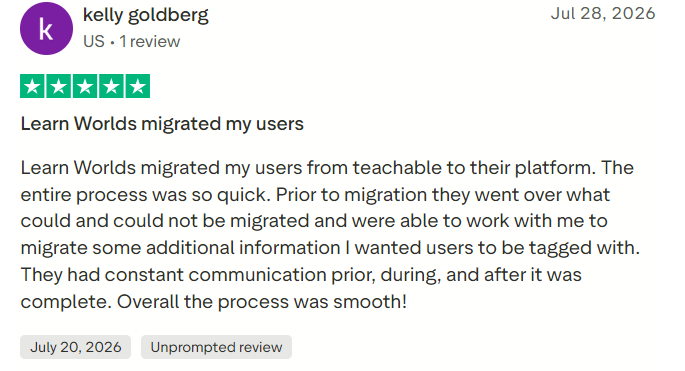
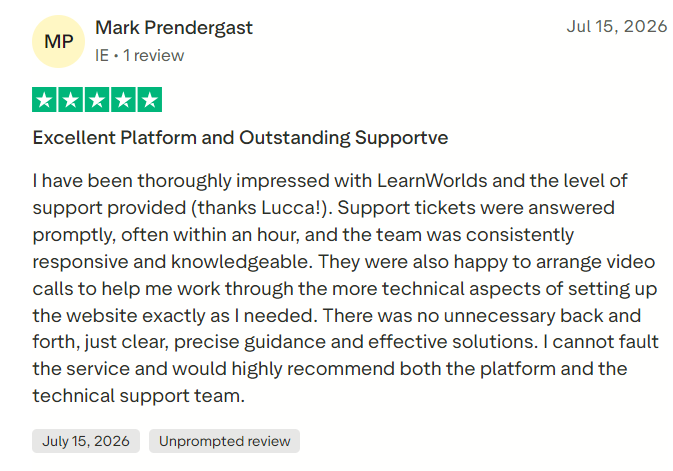
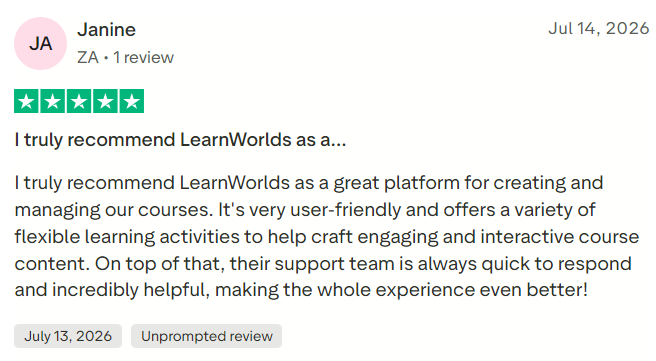
The LearnWorlds Trustpilot profile displayed approximately 4.8 out of 5 from 423 reviews. Recent positive reviews frequently focused on fast, detailed, and personalized customer support.
Trustpilot states that LearnWorlds has not invited customers to review recently, so its sample may not fully represent the entire user base. Buyers should read both recent positive and critical reviews rather than relying only on the average score.
#1.
#2.
#3.
Is LearnWorlds Worth It in 2026?
LearnWorlds is worth considering for creators and organizations that want more than basic video hosting. Its interactive video, assessments, SCORM support, website builder, communities, certificates, and analytics provide a strong foundation for a professional online academy.
Starter is affordable but its $5 enrollment fee makes it less attractive once sales become consistent. Pro Trainer is likely the best-value plan for most commercial creators because it removes enrollment fees while offering substantially more functionality.
Learning Center is better suited to established academies and training teams requiring SSO, API access, advanced reports, full white labeling, and multiple administrators.
Prospective customers should use the trial to build a representative course, configure a payment gateway, test assessments, examine the mobile learner experience, and reproduce their essential reports.
Final Verdict
LearnWorlds is a capable and highly customizable LMS with particularly strong interactive-video, course-authoring, website, assessment, and branding features. Its consistently strong customer-support ratings add to its appeal.
Its main drawbacks are the Starter enrollment fee, the complexity created by its extensive feature set, and the restriction of important business capabilities to higher plans.
Thus, LearnWorlds is an excellent choice for serious course creators, training providers, and organizations that want a branded, interactive learning platform. Beginners prioritizing simplicity or a free plan may prefer Thinkific, Teachable, or another lighter course platform.
