


Pensight is an all-in-one commerce platform designed for coaches, educators, consultants, tutors, and digital creators. It combines a link-in-bio storefront with digital-product delivery, course hosting, appointment scheduling, video calls, memberships, group programs, email marketing, landing pages, and customer management.
Its main attraction is convenience. Instead of combining a website builder, checkout system, scheduler, video-conferencing service, course platform, and email-marketing tool, creators can manage much of their business from one dashboard. Pensight says more than 30,000 creators use the service.
Pensight is especially suitable for solo creators and small knowledge businesses that want to launch quickly. Its limitations include reliance on Pensight’s ecosystem and Stripe-based payment infrastructure, less design freedom than a custom website, and fewer advanced learning, community, reporting, and automation capabilities than specialist platforms.
Explore The AI-Linked Asset Class Elites are Investing In
What Is Pensight?
Pensight is a hosted platform for creating and selling knowledge-based products and services. Each user receives a customizable profile that functions as a link-in-bio page, storefront, product catalog, booking system, and customer portal.
Creators can sell digital downloads, online courses, private coaching sessions, coaching packages, group events, cohort programs, video responses, memberships, subscriptions, and community access. Pensight also supports free products and email-capture forms, allowing users to collect leads before offering paid services.
Because the platform is hosted, users do not need to purchase web hosting, install software, or maintain ecommerce infrastructure. Pensight handles the storefront, checkout, account access, product delivery, scheduling, communication, and payment connection.
How Pensight Works
A creator opens an account, builds a public profile, and adds products or services. The profile can contain text, images, videos, social links, external links, email forms, testimonials, and product cards.
Each offer receives its own landing page. The creator adds a description, price, media, access conditions, and relevant scheduling or delivery information. After a customer purchases, Pensight creates a client account through which the buyer can access downloads, courses, calls, recordings, chats, and membership content.
Payments are processed through a Stripe Express account connected specifically to Pensight. Creators should complete the Stripe setup before selling because transactions cannot be fully charged and paid out without an active payment account.
Link-in-Bio Storefront
The Pensight profile is designed to replace a conventional link-in-bio page with a functional store. Creators can place the link in their Instagram, TikTok, YouTube, LinkedIn, X, or other social-media profiles and direct followers to their offers.
The page can display products, services, affiliate links, social profiles, written content, videos, images, testimonials, and email-capture forms. This is useful for creators whose audiences primarily discover them through social platforms and who do not need a large conventional website.
Although a Pensight page can function as a creator’s main online presence, it is not a complete substitute for a content-heavy website. Businesses depending on extensive blogging, sophisticated search-engine optimization, complex navigation, or highly customized layouts may still need WordPress, Webflow, Squarespace, or another website platform.
Bonus Free Guide Included
Landing-Page Builder
Pensight provides landing-page templates tailored to different products and services. Users can add and rearrange content blocks, present benefits, include media, display testimonials, answer questions, and direct visitors toward checkout.
The builder reduces the time required to launch an offer and does not require coding. However, businesses seeking complete control over page structure, custom scripts, advanced conversion testing, or complex brand systems may find it less flexible than a dedicated page builder.
Digital Products
Creators can use Pensight to sell ebooks, guides, templates, worksheets, videos, audio recordings, downloadable files, resource libraries, and other digital products. Content can be uploaded directly or delivered through an external link.
Digital products can also be offered free of charge as lead magnets. Pensight collects the customer’s name and email address, allowing the creator to continue the relationship through broadcasts or automated messages.
The functionality is appropriate for straightforward product delivery. Businesses requiring software-license management, advanced file protection, complex product variations, or extensive digital-rights controls may need additional tools.
Online Courses
Pensight includes a course builder for organizing material into chapters and lessons. Lessons can contain video, text, images, files, and other educational resources. Creators can also enable comments so learners can ask questions or discuss individual lessons.
Paid plans support unlimited courses, course-content dripping, and lesson comments. Drip scheduling allows material to become available gradually rather than giving students access to the entire course immediately. This can support structured programs, weekly learning schedules, and cohort-style experiences.
Pensight works well for creator-led courses but is not a full enterprise learning-management system. Organizations requiring SCORM, advanced quizzes, formal grading, detailed certifications, learning paths, examination security, compliance reporting, or large-scale employee administration should consider a specialized LMS.
One-to-One Coaching
Pensight allows coaches, consultants, tutors, and advisers to sell private sessions. Customers can review the creator’s availability, select an appointment, complete payment, and join the meeting through the platform.
The system combines scheduling, payments, video calling, reminders, chat, file sharing, and private notes. Calendar integrations help prevent scheduling conflicts, while email and SMS reminders may reduce missed appointments.
This consolidated experience can replace a combination of Calendly, Zoom, Stripe payment links, and separate messaging tools. However, advanced coaching businesses may still require external software for contracts, detailed client records, goals, assessments, progress tracking, invoicing, and regulatory compliance.
Coaching Bundles
Creators can package several private sessions into a single offer. For example, a coach could sell five sessions at a discounted package price rather than charging separately for each appointment.
Bundles are useful for high-value coaching, consulting engagements, mentoring programs, and long-term client relationships. They can improve cash flow and encourage clients to commit to a complete process. Paid plans also allow installment arrangements, making expensive packages more accessible.
Creators should clearly establish package expiration dates, cancellation rules, rescheduling conditions, refund policies, and what happens to unused sessions.
Group Sessions and Events
Pensight supports paid or free group sessions such as classes, workshops, webinars, coaching calls, Q&A events, and masterclasses. The platform can manage registration, payment, reminders, video access, and communication with attendees.
This functionality is convenient for small and medium-sized live events. Businesses hosting large webinars, conferences, complex event schedules, breakout rooms, or heavily produced broadcasts may require dedicated webinar or event software.
Group Programs
Group Programs are designed for cohort courses and multi-session coaching experiences. A creator can combine scheduled video calls with group chat and a members’ area, allowing participants to communicate and access shared resources between meetings.
These programs can support masterminds, accelerators, boot camps, accountability groups, training cohorts, and structured coaching packages. The integrated format is particularly valuable for creators who want live teaching and ongoing communication without combining several separate services.
Video Q&A
Video Q&A allows a customer to submit a question and receive a recorded response from the creator. This product type can provide advice without requiring both parties to attend a live appointment.
It can be used for personalized reviews, expert feedback, audits, short consultations, tutoring assistance, or asynchronous coaching. Creators should define the maximum question length, expected response time, scope of advice, and whether follow-up questions are included.
Memberships and Communities
Pensight enables creators to launch subscription-based or lifetime-access memberships containing a private content feed. Posts can include text, images, video, and downloadable files, while comments allow members to interact with the creator and one another. Administrators can also permit members to publish their own posts.
Memberships can support premium content, coaching communities, paid newsletters, professional groups, accountability programs, resource libraries, and subscription education. Pensight states that creators receive 97% of qualifying membership revenue after its combined card-processing charge.
The community experience is suitable for compact creator memberships but is less developed than dedicated platforms such as Circle or Mighty Networks. Businesses needing advanced moderation, subgroups, member directories, gamification, events, branded mobile applications, or extensive community analytics may prefer a specialist service.
Video Calls and Scheduling
Pensight includes unlimited video calling, appointment scheduling, private and group chat, file sharing, calendar connections, reminders, and client notes. Paid subscriptions add call recording and transcription.
The platform documents integrations with Google and Outlook calendars. These connections help creators display accurate availability and reduce double bookings. Users should still test time zones, recurring availability, cancellation rules, buffer periods, and daylight-saving changes before publishing appointments.
Built-in calls can reduce dependence on Zoom or Google Meet. Nevertheless, creators should confirm participant limits, recording storage, transcription accuracy, and the requirements of their particular sessions.
Client Management
Customer information is collected when someone registers for a free or paid product. Pensight provides a central environment for reviewing clients, communicating through chat, sharing files, and managing access to purchased offers.
Clients receive their own accounts containing downloads, course content, upcoming sessions, recordings, private notes, and relevant conversations. This creates a more consistent experience than distributing content and meeting links across unrelated applications.
Pensight provides useful lightweight customer management but should not be treated as a complete enterprise CRM. Businesses requiring complex sales pipelines, lead scoring, account hierarchies, team permissions, advanced segmentation, or detailed service histories may need HubSpot, Salesforce, or another dedicated CRM.
Email Marketing
Paid Pensight plans include email broadcasts and automated email sequences. Creators can use broadcasts for announcements, launches, newsletters, updates, and promotions, while automations can support onboarding, lead nurturing, product delivery, follow-up, and customer re-engagement.
Because sales and customer activity already occur within Pensight, email tools can operate without transferring every buyer into another platform. This is a meaningful advantage for creators who want a compact technology stack.
However, sophisticated marketers may still require a specialist platform. Advanced behavioral segmentation, complex branching, predictive scoring, multichannel campaigns, extensive deliverability controls, and detailed attribution are more likely to be found in products such as ActiveCampaign, Kit, Klaviyo, or HubSpot.
Marketing Automations and Funnels
Pensight’s paid plans include marketing automations and upselling funnels. Creators can use these tools to guide leads toward relevant products, recommend additional offers, and continue communication after a signup or purchase.
For example, someone downloading a free guide could receive an automated educational sequence followed by an invitation to purchase a course. A course customer might later be offered private coaching or membership access.
These tools cover many common creator workflows, but buyers should confirm the available triggers, conditions, delays, audience filters, and editing options before replacing an established automation platform.
Affiliate Programs
Paid users can create affiliate programs for their own products. Affiliates receive tracked links and can promote eligible offers in exchange for commissions.
Affiliate marketing can help creators expand beyond their existing audiences, but it introduces administrative responsibilities. Sellers should establish commission percentages, attribution rules, payout schedules, refund adjustments, eligibility standards, and promotional policies before recruiting partners.
Pensight also operates a referral program for recommending Pensight itself. Its published FAQ describes rewards tied to referred creators’ earnings and Pro subscriptions, although program terms may change.
Coupons and Flexible Pricing
Pensight supports coupon codes for promotional campaigns and customer incentives. Paid plans also add payment plans, subscription payments, pay-what-you-want pricing, and access to Klarna and Affirm where available.
Installment plans can make expensive coaching packages, courses, and group programs more affordable, but the creator does not receive the complete price in advance. Businesses should account for missed payments, cancellations, refunds, and the operational cost of continuing service when a customer’s later installment fails.
Availability for Klarna, Affirm, subscriptions, and other payment methods depends on geography, customer eligibility, Stripe support, and product configuration.
Limited Access – Join Now!
Testimonials
Pensight can collect testimonials from customers and display approved feedback on a creator’s profile or landing pages. This helps sellers build credibility without manually copying reviews from email or social media.
Creators remain responsible for ensuring that testimonials are genuine, appropriately disclosed, and compliant with advertising rules. Claims involving health, income, professional outcomes, or guaranteed results require particular care.
Customization and Branding
Users can personalize their Pensight profiles with themes, background colors or images, custom fonts, button colors, and different product-card styles. Paid plans allow creators to remove Pensight branding, connect a custom domain, and customize social-sharing information.
The available controls are sufficient for many solo creators, but they do not provide the complete design freedom of a custom-built website. Businesses with detailed brand standards or unusual layouts should test the editor before migrating.
Pensight AI
Paid plans include the Pensight AI assistant. It is intended to help creators develop and improve business content, offers, and marketing materials.
As with any generative-AI feature, its output should be reviewed for accuracy, originality, tone, legal risk, and compliance. Creators should not place confidential customer information into an AI feature without understanding the relevant privacy and data-processing terms.
Analytics
Pensight provides dashboards for monitoring earnings, orders, profile traffic, and clicks on individual links. These reports help creators identify popular offers and evaluate whether visitors are proceeding from the profile to a product page or checkout.
Paid plans support Google Analytics, Meta Pixel, and TikTok Pixel connections, while Zapier can transfer information to other applications.
The built-in reporting is appropriate for routine creator-business decisions. Businesses needing cross-channel attribution, cohort analysis, recurring-revenue forecasting, financial consolidation, or custom dashboards may need external analytics software.
Integrations
Pensight’s documented integrations include Stripe, Google Calendar, Outlook Calendar, Zapier, Google Analytics, Meta Pixel, and TikTok Pixel. The platform’s built-in video, scheduling, chat, email, landing-page, and product tools reduce the need for some additional connections.
Zapier can extend Pensight by sending data to email services, spreadsheets, CRMs, accounting products, and workflow applications. Buyers should verify the exact triggers, actions, fields, and update directions available because the existence of an integration does not guarantee that it supports every required workflow.
Payments and Transaction Fees
Pensight uses Stripe Express to collect customer payments and send funds to creators. Its pricing page lists a 3% Stripe fee across the Basic, Pro, and Business plans and shows no separate Pensight transaction fee. Pensight describes this 3% charge as including card processing, Stripe fees, payment infrastructure, hosting, and support.
Creators therefore generally receive 97% of qualifying revenue before taxes, refunds, currency conversion, affiliate commissions, and other business costs. Actual payment availability, supported currencies, and payout destinations depend on Stripe and the creator’s country.
The simplified 3% rate may compare favorably with platforms that add a separate commission on top of normal processing. However, sellers should confirm whether alternative payment methods, international cards, disputes, refunds, and currency conversion create additional charges.
Payout Timing
Pensight states that payouts are sent through Stripe directly to the creator’s bank account. The first payout may take approximately seven days after the transaction is considered complete. Later payouts are generally faster, although timing depends on the product, country, bank, account history, and risk review.
For Basic users, digital-product and course transactions are generally treated as complete immediately, while payments for coaching and group sessions may remain pending until the service has been delivered. Paid plans include accelerated payouts, which can cause eligible transactions to be treated as complete approximately one hour after purchase.
Creators should maintain sufficient working capital to manage delayed payouts, refunds, disputes, and operating expenses. No platform can guarantee that every transaction will be immediately available because Stripe and banking controls may impose reviews or reserves.
Pensight Pricing
Pensight currently advertises three subscription levels: Basic, Pro, and Business. Basic is free, Pro costs $29 per month, and Business costs $99 per month. Annual billing provides a stated 20% discount, reducing the effective monthly cost to approximately $23.20 for Pro and $79.20 for Business.
The free Basic plan supports digital products, private sessions, external links, page content, email collection, testimonials, unlimited video calls, chat, file sharing, calendar connections, reminders, basic analytics, Zapier, and coupons. It does not include courses, memberships, group programs, marketing automation, call recording, custom domains, or advanced branding.
Pro adds unlimited courses, coaching bundles, group events, Video Q&A, memberships, group programs, installment plans, subscriptions, drip content, accelerated payouts, custom forms, email broadcasts, automations, funnels, affiliate tools, custom domains, branding removal, call recordings, transcription, tracking pixels, website embeds, and dedicated support.
Business includes the Pro feature set and adds growth-oriented services such as expert onboarding, course migration, regular calls with a growth manager, individual product-building assistance, and marketing reviews. Pensight offers a seven-day trial for its paid plans.
Additional Costs
The subscription and 3% processing charge may not represent the full cost of operating a Pensight business. Other expenses can include custom-domain registration, external email or CRM software, Zapier subscriptions, advertising, affiliate commissions, content production, design assistance, accounting tools, taxes, currency conversion, refunds, disputes, and professional legal advice.
Creators may also pay for external webinar software, cloud storage, advanced analytics, insurance, or specialist coaching-administration tools. Businesses should compare the cost of the complete technology stack rather than evaluating Pensight’s subscription in isolation.
Ease of Use
Pensight is designed for fast setup. A creator can build a page, add an offer, connect Stripe, and publish a shareable link without developing a website or assembling several unrelated services.
Its templates and guided workflow make it particularly accessible to beginners. Centralizing products, appointments, calls, customers, and email communication also reduces administrative fragmentation.
The tradeoff is reduced flexibility. Businesses with specialized checkout requirements, detailed course structures, complex CRM processes, extensive websites, or large operational teams may eventually outgrow the platform.
Customer Support and Reviews
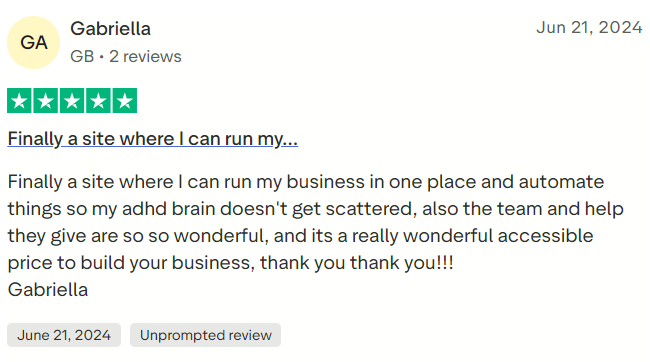
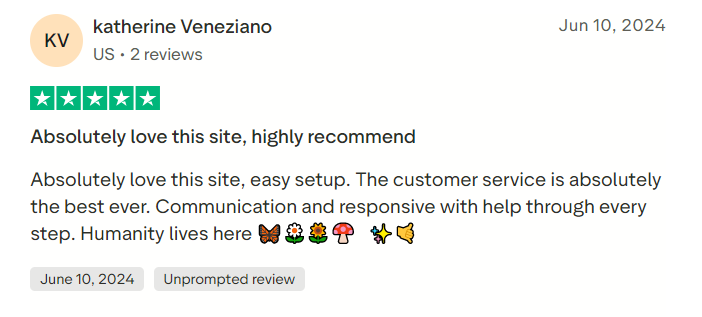
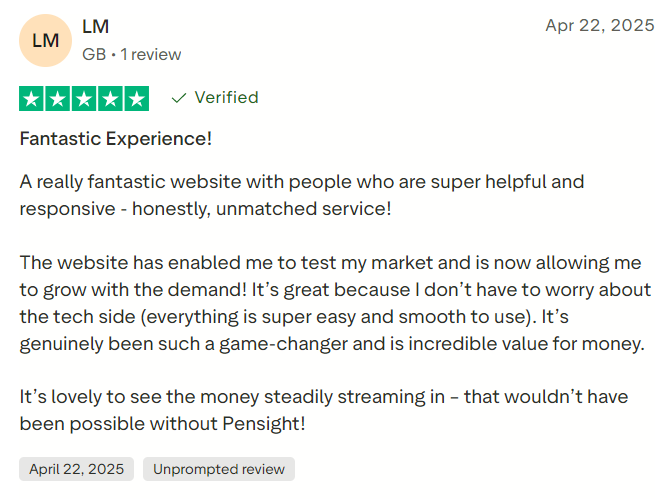
Customer-review data presents a mixed picture. As of August 2026, G2 listed Pensight at approximately 4.4 out of 5 from 47 reviews, while Capterra displayed 4.0 out of 5 from two reviews. Users frequently praised its ease of use and consolidation of bookings, payments, coaching, and digital products. G2 and Capterra provide current review information.
The current Trustpilot profile presents a more cautious signal. As of August 2026, it showed a TrustScore of 2.8 out of 5 from 23 reviews. Most historical reviews were positive, but several recent complaints alleged unresponsive support and delayed payouts or refunds.
Trustpilot also noted that the small review sample might not be representative. Readers should examine the latest Pensight Trustpilot profile rather than relying on Pensight’s own website, which continued to display an older, higher Trustpilot figure at the time of research.
Creators planning to depend on Pensight for significant revenue should test support responsiveness, understand payout procedures, retain copies of customer and product data, and maintain financial reserves for possible payment delays.
#1.
#2.
#3.
Pensight Pros
Pensight’s main strength is the number of creator-business functions combined within one relatively straightforward platform. It can replace separate tools for link-in-bio pages, landing pages, digital delivery, course hosting, scheduling, video calls, basic CRM, email marketing, memberships, and affiliate management.
The free plan provides a practical way to sell digital products and private sessions without a subscription. Paid plans add substantial functionality at comparatively accessible prices, while the combined 3% processing charge avoids a separate platform commission. Other advantages include flexible offer formats, built-in customer accounts, coaching bundles, group programs, payment plans, testimonials, analytics, custom domains, and accelerated payouts.
Pensight Cons
The Basic plan is limited primarily to digital products and private sessions, with courses, memberships, group programs, subscriptions, and marketing tools reserved for paid subscriptions. Stripe Express is central to the payment system, which may restrict creators in unsupported countries or those preferring another gateway.
Pensight also provides less control than a custom website and less depth than specialist course, community, CRM, webinar, or marketing platforms. Advanced assessment, certification, segmentation, reporting, inventory, team administration, and website-development capabilities are limited.
The small number of public reviews makes overall satisfaction difficult to judge confidently. Recent Trustpilot complaints about payout, refund, and support problems also deserve careful consideration, even though they represent a limited sample.
Who Should Use Pensight?
Pensight is best suited to solo coaches, consultants, tutors, educators, influencers, subject-matter experts, and content creators who want to sell knowledge-based products from a simple social-media-friendly page. It is particularly useful for businesses combining private appointments with courses, downloads, memberships, and group programs.
It can also serve beginners who want to test a digital offer through the free plan and growing creators who prefer one integrated dashboard instead of managing a large collection of subscriptions.
Is Pensight Worth It?
Pensight can be worthwhile for creators who want to operate a compact digital business from one platform. The free Basic plan provides a low-risk way to test digital products and private appointments, while Pro delivers most of the platform’s important course, membership, automation, branding, and group-program features for $29 per month.
Its value is strongest when it replaces several paid tools. A creator using Pensight for landing pages, payments, scheduling, video calls, course delivery, email automation, and memberships may save both money and administrative time.
The decision requires more caution for established businesses processing substantial revenue. Dependence on Stripe Express, limited advanced functionality, and recent complaints involving payment support should be considered alongside the platform’s convenience and generally positive reviews on G2.
Final Verdict
Pensight is a capable all-in-one platform for coaches, educators, consultants, and creators selling digital expertise. Its strongest features are its rapid setup, social-media-friendly storefront, flexible products, integrated scheduling and video calls, course and membership tools, email automation, and comparatively accessible pricing.
Its main weaknesses are limited customization, dependence on Stripe Express, fewer advanced tools than specialist platforms, and mixed recent customer-support feedback.
Overall, Pensight is best for solo and growing creators who value simplicity and want to consolidate several business functions. Prospective users should test the complete sales and payout process before moving significant revenue to the platform and confirm current pricing, support, and transaction terms directly with Pensight.
