


LearnUpon is a cloud-based learning management system designed for organizations delivering training to employees, customers, partners, or association members. It provides course management, learning paths, certifications, reporting, integrations, and separately branded training portals through one platform.
Unlike course-selling platforms aimed at individual creators, LearnUpon primarily serves established organizations with at least 100 learners. Its implementation support, multiple-audience capabilities, and business-system integrations make it particularly relevant to mid-sized and large companies.
LearnUpon does not publish fixed subscription prices. Businesses must contact its sales team for a customized quote based on their audience, user volume, features, integrations, and support requirements.
Bonus Free Guide Included
What Is LearnUpon?
LearnUpon is a software-as-a-service learning management system. Because it is hosted in the cloud, customers do not need to install the software on their own servers or maintain its underlying infrastructure.
Organizations use LearnUpon for:
- Employee onboarding
- Professional development
- Compliance training
- Customer education
- Product training
- Partner certification
- Sales enablement
- Member education
- Continuing education
- Skills development
LearnUpon currently describes its product as an Agentic Learning Platform. The company is introducing AI agents intended to automate administrative tasks, assist content creation, personalize learning journeys, and help administrators extract information from training data.
The platform is used by more than 1,500 organizations, according to the official LearnUpon website.
How LearnUpon Works
Administrators create courses within LearnUpon or import content developed with an external authoring application. Learners can then be enrolled manually, assigned through groups, synchronized from another business system, or allowed to register themselves.
Administrators can combine courses into learning paths, establish deadlines, issue certificates, and automate enrollment according to user information or organizational rules. Reports track progress, completions, assessment results, certification status, and other learning activity.
Companies training several audiences can create separate portals. For example, one organization could maintain an employee portal, customer academy, and partner-certification environment while administering them through the same platform.
Explore The AI-Linked Asset Class Elites are Investing In
LearnUpon Products
LearnUpon structures its offering around three principal use cases.
LearnUpon for Employees
LearnUpon for Employees supports internal learning and development. It can be used for onboarding, compliance, leadership development, role-based training, and continuing professional education.
It begins at 100 users and can connect with human resources systems to simplify account creation, user updates, group assignments, and training administration.
LearnUpon for Customer Education
LearnUpon for Customer Education helps businesses train customers on their products or services. Common objectives include accelerating onboarding, improving product adoption, reducing support requests, and increasing retention.
This product begins at 300 users. Enterprise options can include features such as white labeling, ecommerce, and group branding.
LearnUpon for Associations
LearnUpon for Associations is designed for membership organizations providing continuing education, accreditation, and professional-development programs.
It begins at 150 users and can support paid courses, member-specific learning, certifications, and continuing-education initiatives.
The current starting-user requirements are published on LearnUpon’s official plans and pricing page.
LearnUpon’s Main Features
Course creation
Administrators can create courses using text, images, documents, videos, audio, exams, assignments, and other learning resources.
LearnUpon’s native authoring capabilities are suitable for straightforward courses. Organizations can also import material from specialized authoring tools when they need complex interactions, simulations, or carefully designed multimedia lessons.
Create+
Create+ is LearnUpon’s AI-supported course-authoring tool. It is intended to convert existing documents and source material into organized, interactive learning content.
AI can reduce the time required to create initial course structures, assessment questions, and lesson content. However, subject-matter experts should review generated material for accuracy, instructional quality, regulatory compliance, accessibility, and suitability for the intended audience.
Organizations should also confirm how their uploaded source material and AI-generated content are stored and processed before using confidential information.
SCORM and xAPI support
LearnUpon supports SCORM and xAPI content produced by external authoring applications. This is important for organizations migrating existing training libraries or using tools such as Articulate Storyline and Adobe Captivate.
According to LearnUpon’s documentation, customers can create courses directly in the LMS or upload interactive SCORM and xAPI modules.
Organizations should test completion tracking, bookmarking, scoring, responsive behavior, and course-version updates before publishing imported material widely.
Learning paths
Learning paths combine several courses into a structured program. Administrators can require learners to complete courses in a particular order or allow more flexible progression.
Learning paths are useful for:
- Employee onboarding
- Leadership programs
- Product certification
- Compliance curricula
- Partner accreditation
- Role-based development
- Customer onboarding
Courses can be grouped into a larger development journey rather than delivered as disconnected training items.
Learning Journeys
Learning Journeys extends the learning-path concept with personalized and automated training experiences. Learners can receive different content according to factors such as role, department, activity, skill requirements, or progress.
The objective is to reduce manual administration while making training more relevant to individual learners. Businesses should confirm the precise triggers and personalization options included in their proposed plan.
Dynamic rules and automation
Dynamic rules can automate administrative actions based on user data or behavior. Organizations may use rules to place learners into groups, enroll them in courses, assign relevant learning paths, or update access.
Automation is particularly valuable when managing thousands of learners across different regions, customer segments, job roles, or partner organizations.
Portals
Portals are one of LearnUpon’s most distinctive features. They allow an organization to create separate learning environments for different audiences while managing them from a centralized system.
A business could create distinct portals for:
- Employees
- Customers
- Resellers
- Distributors
- Franchisees
- Association members
- Regional teams
Each portal can have its own branding, administrators, catalog, language, and learner experience. LearnUpon describes portals as separate LMS environments controlled from one location in its portal overview. Portal availability and quantity depend on the purchased configuration.
Branding and white labeling
Organizations can apply their logo, colors, imagery, and other brand elements to the learning environment. More advanced plans may support group branding and white labeling.
White labeling is valuable for customer and partner education because it presents training as part of the organization’s own product experience.
Buyers should ask whether LearnUpon branding remains visible in emails, login pages, mobile applications, URLs, certificates, and system notifications.
Groups
Groups help administrators organize learners according to department, location, job title, customer account, partner type, or another business category.
Courses and learning paths can then be assigned to the group instead of enrolling every person separately. Group managers may receive restricted administrative capabilities or reports covering only their designated learners.
Skills management
LearnUpon’s skills functionality is designed to identify capability gaps and connect learning with employee development.
Organizations can define required skills, associate them with roles or training, and use available data to determine where further development is needed.
Companies considering LearnUpon primarily for skills management should ask how skills are assessed, validated, updated, and integrated with their HR system.
Exams and assessments
LearnUpon supports exams, question pools, scoring, pass marks, attempts, and other assessment settings. AI-supported assessment tools may help generate questions from learning content.
The platform also supports assignments that learners submit for evaluation. Administrators or instructors can review these submissions and provide results or feedback.
Organizations delivering regulated examinations should verify security, identity confirmation, question randomization, time limits, proctoring, and audit-trail requirements.
Certificates and recertification
Certificates can be awarded when learners complete a course or program. Recertification rules help organizations manage qualifications that expire and must be renewed.
These features are useful for compliance training, professional development, partner accreditation, and industry-specific education.
Automated reminders can reduce the administrative work involved in informing learners and managers about approaching expiration dates.
Live learning
LearnUpon can incorporate instructor-led and virtual training into broader learning programs. Live sessions can be scheduled and combined with self-paced courses, exams, and assignments.
Webinar integrations help connect attendance with learner records. Available integrations and attendance-tracking behavior should be tested with the organization’s preferred meeting platform.
Gamification
Gamification features can award badges and display leaderboards based on learning activity and achievement.
These tools may improve engagement when they support meaningful learning objectives. Organizations should avoid treating points and rankings as substitutes for useful content, practical application, and management support.
Reporting and analytics
LearnUpon includes reports covering areas such as:
- Enrollment
- Course progress
- Completion
- Exam performance
- Assignment status
- Certification
- Surveys
- Learning paths
- Groups
- Active users
Reports can be exported and scheduled for delivery to selected recipients. LearnUpon also supports branded PDF and spreadsheet exports, according to its reporting documentation.
Businesses should test whether the reporting model can answer their specific operational and compliance questions. Standard reports may not replace a business-intelligence platform for highly customized analysis.
Reporting MCP
LearnUpon offers a Model Context Protocol server for connecting reporting data with supported AI workspaces. This is intended to help authorized users query information and move from analysis to action more quickly.
Because this functionality involves organizational and learner data, buyers should carefully evaluate access controls, data retention, privacy, authentication, and governance before deployment.
Ask Lia
Ask Lia is LearnUpon’s AI learning assistant. It is designed to help learners navigate training and obtain contextual assistance.
Organizations should determine whether Lia answers only from approved course material, how responses are monitored, and how the system handles incomplete or potentially inaccurate answers.
AI assistance should complement rather than replace qualified instructors or formal guidance in regulated and safety-critical environments.
Course catalogs and self-enrollment
Administrators can create catalogs from which learners select available courses. Access rules can determine which programs appear to particular groups or audiences.
Self-enrollment reduces administrative work and allows learners to pursue relevant development independently.
Ecommerce
LearnUpon offers ecommerce features for organizations selling training. Associations, training providers, and customer-education teams can use storefronts to offer individual courses or discounted bundles.
Its documentation identifies Shopify as an available payment integration and also references coupons and course bundles.
Businesses should verify supported currencies, payment providers, taxation features, refunds, invoices, subscriptions, and regional availability before selecting LearnUpon as their primary course-selling system.
Mobile learning
LearnUpon provides mobile access so learners can complete supported training from phones and tablets. Its January 2026 update added SSO access for mobile users whose organizations already use SAML-based authentication.
Organizations should test imported SCORM content, downloads, accessibility, video playback, notifications, and offline behavior on their learners’ actual devices.
Content integrations
LearnUpon connects with external content providers including:
- Go1
- LinkedIn Learning
- OpenSesame
- Skillsoft
- Easygenerator
These integrations can reduce the work involved in maintaining third-party course libraries. License costs for external content providers are generally separate from the LMS subscription.
LearnUpon Anywhere
LearnUpon Anywhere is designed to place educational content within another digital experience, such as a customer-facing product.
Embedding training into the product can reduce login friction and help users access guidance at the moment they need it. Availability depends on the selected LearnUpon package.
LearnUpon Integrations
LearnUpon connects with business systems to automate user administration and exchange learning data.
Integration options include:
- Salesforce
- HubSpot
- BambooHR
- Workday
- Personio
- Microsoft Teams
- Zoom
- Degreed
- LinkedIn Learning
- Go1
- Skillsoft
- Shopify
- Zapier
- Single sign-on providers
HRIS integrations can synchronize employees and organizational information, while CRM integrations can connect customer or partner education with commercial records.
API and webhooks
LearnUpon provides a REST API that can create users, place them into groups, enroll them in courses, and transfer data to third-party systems. Webhooks can notify external applications when relevant events occur.
The current LearnUpon API documentation should be reviewed by the organization’s technical team before committing to a custom integration.
API access, two-way functionality, rate limits, and developer support may depend on the purchased plan.
Single sign-on
Single sign-on allows learners to access LearnUpon with an existing organizational identity. This reduces password-management problems and helps organizations centralize authentication policies.
Buyers should confirm support for their identity provider, provisioning method, multi-factor authentication, deprovisioning, and portal structure.
LearnUpon Pricing
LearnUpon does not publish standard monthly or annual prices. Instead, it provides customized quotes based on factors such as the training use case, number of users, active-user model, required portals and integrations, branding, ecommerce, API access, AI capabilities, implementation needs, customer support, and contract length. Minimum audience requirements also vary by product: LearnUpon for Employees starts at 100 users, LearnUpon for Associations at 150 users, and LearnUpon for Customer Education at 300 users.
Every plan includes an implementation consultant, customer-success services, and technical support from human representatives around the clock, according to the official pricing page.
Prospective customers must book a demonstration and obtain a quotation. The lack of public prices makes it difficult to compare costs without entering the sales process.
LearnUpon Customer Reviews
LearnUpon receives strong ratings on established B2B software-review platforms.
At the time of research, LearnUpon on G2 held approximately 4.5 out of 5 from more than 240 reviews. Reviewers commonly praised its usability, administration tools, implementation process, and customer support.
Frequently mentioned advantages include:
- Intuitive interface
- Responsive customer support
- Straightforward course management
- Reliable implementation assistance
- Useful reporting
- Multiple portals
- Strong integrations
Common criticisms include:
- Limited customization in certain areas
- Reporting constraints for complex use cases
- Feature availability depending on the plan
- Administrative tasks requiring several steps
- Inconsistent behavior in specialized workflows
- Pricing that may be high for smaller organizations
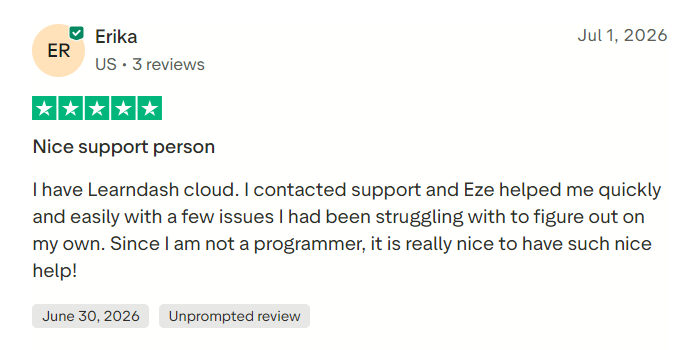
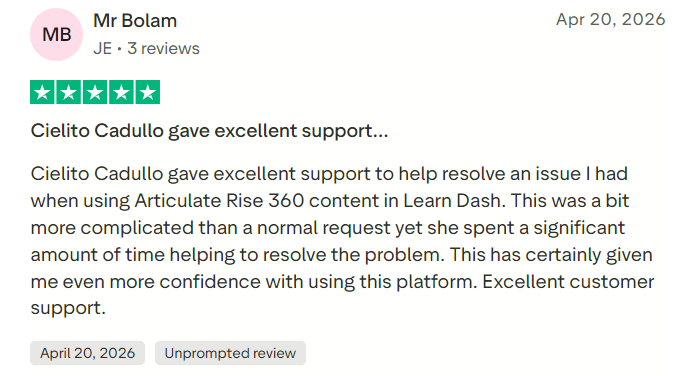
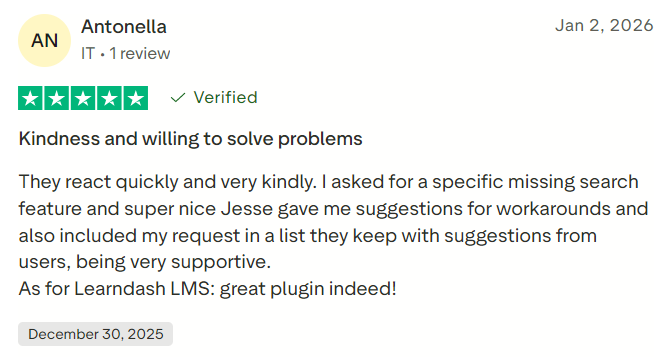
LearnUpon on Capterra displayed approximately 4.7 out of 5 from more than 130 reviews. Customer support is one of the most consistently praised aspects of the product.
Review averages can change, so buyers should examine recent feedback from organizations with similar learner volumes and training requirements.
#1.
#2.
#3.
Is LearnUpon Worth It in 2026?
LearnUpon can be worth considering for organizations that require a polished cloud LMS, strong implementation assistance, business-system integrations, and training for multiple audiences.
Its portals are especially valuable for companies that would otherwise operate separate employee, customer, and partner systems. The consistently strong customer-support ratings also distinguish LearnUpon from vendors that provide primarily self-service assistance.
The lack of public pricing is a significant limitation during early evaluation. Buyers cannot determine value without obtaining a customized quote and comparing it with competing proposals.
Organizations should conduct a structured proof of concept using real courses, user data, reports, SSO, integrations, and portal configurations. A demonstration based only on idealized sample content will not expose possible limitations.
Final Verdict
LearnUpon is a capable business LMS with strong multi-audience training, portal, certification, reporting, integration, and customer-support capabilities. It is positioned for established organizations rather than individual creators or very small teams.
Its main disadvantages are private pricing, minimum-user requirements, and plan-dependent access to advanced functionality.
