

EasyWebinar is an all-in-one webinar platform for businesses that use online presentations to generate leads, demonstrate products, educate customers, deliver training, or sell services and digital products.
The platform supports live, automated, simulive, evergreen, recurring, just-in-time, and on-demand webinars. It also provides registration pages, reminder emails, interactive offers, built-in checkout, CRM tools, multistreaming, analytics, and AI-assisted funnel creation.
EasyWebinar therefore competes with more than conventional webinar hosts. It aims to replace several components of a webinar marketing stack, including landing-page software, email follow-up, CRM, checkout, video storage, and automation.
That breadth is valuable for established marketers, but it also makes EasyWebinar more expensive and complex than a basic meeting or broadcasting tool.
Bonus Free Guide Included
EasyWebinar at a glance
EasyWebinar is best suited to course creators, coaches, SaaS companies, marketing teams, consultants, and businesses running frequent sales or educational webinars.
Its principal strength is the combination of live delivery and automated webinar funnels. A successful live presentation can be converted into an evergreen event that continues to attract, educate, and convert viewers.
Its main limitations are its price and plan restrictions. Automated and evergreen webinars require at least the $116-per-month Growth plan, while the $44 Launch plan is limited to basic live events.
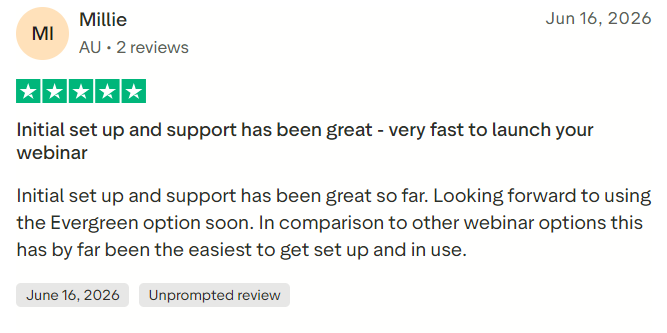
EasyWebinar has an overall Capterra score of 4.4 out of 5 from 91 reviews. Trustpilot currently gives it 4.4 out of 5 from 50 reviews. Customer feedback frequently praises its automation and support, although some users report technical, billing, or interface problems.
What is EasyWebinar?
EasyWebinar is a cloud-based platform for creating and managing complete webinar campaigns.
A business can use it to:
- Build webinar registration pages
- Send confirmation and reminder emails
- Host a live presentation
- Interact through chat, questions, and polls
- Display timed offers and calls to action
- Charge for webinar access
- Collect payments during a session
- Provide replays
- Run automated or evergreen versions
- Follow up according to attendee behavior
- Transfer engagement data into a CRM
- Measure registrations, attendance, clicks, and revenue
This conversion-oriented approach distinguishes EasyWebinar from software created mainly for internal video meetings.
Explore The AI-Linked Asset Class Elites are Investing In
EasyWebinar webinar formats
Live webinars
EasyWebinar supports live presentations with screen sharing, presenter controls, chat, polls, questions, and timed offers.
Live webinars are suitable for product demonstrations, workshops, coaching events, customer onboarding, training, and lead generation.
Session duration and audience capacity vary by plan. Launch and Growth permit sessions of up to two hours, while Pro and Scale support sessions lasting up to four hours.
Automated webinars
A prerecorded presentation can run automatically according to a predefined schedule. The host does not need to deliver the same session repeatedly.
Automated webinars are available from the Growth plan upward. They can include scheduled offers, polls, calls to action, and follow-up sequences.
Evergreen webinars
Evergreen webinars allow new prospects to enter the same presentation funnel throughout the year. Each visitor may be offered a convenient session according to their own registration time and time zone.
This approach is useful for businesses generating leads continuously rather than relying only on fixed launch periods.
Simulive webinars
A simulive event uses a prerecorded presentation but runs at a scheduled time with some aspects of a live experience. Team members may still participate in chat or answer questions while the recording plays.
Businesses should communicate the presentation format honestly rather than deliberately misleading attendees about whether the speaker is live.
Just-in-time sessions
Just-in-time scheduling lets a visitor register for a webinar beginning shortly after arriving on the registration page.
This can reduce the delay between interest and attendance, although it should be used carefully to avoid presenting artificial schedules.
On-demand webinars
On-demand events allow viewers to watch immediately according to their own availability. They are useful for product education, customer training, demonstrations, and content libraries.
Paid webinars
Growth and higher plans can restrict entry until payment has been completed. This enables businesses to sell workshops, training sessions, masterclasses, and other premium events.
Main EasyWebinar features
AI Webinar Funnel Builder
EasyWebinar’s AI builder can generate several parts of a webinar campaign from one prompt, including:
- A webinar outline and script
- Registration-page copy
- Thank-you-page content
- Reminder and follow-up emails
- Poll questions
- Timed calls to action
The AI tool can accelerate initial setup, but it does not automatically create a complete slide presentation. A recent Trustpilot reviewer specifically noted that the platform creates the infrastructure around a webinar rather than producing the finished presentation itself.
Users should review all generated material for accuracy, originality, tone, and suitability before publishing it.
AI usage is controlled through monthly funnel and credit allowances. Launch includes two AI funnels, Growth includes five, Pro provides 10, and Scale includes 20.
Registration and thank-you pages
EasyWebinar includes hosted registration, confirmation, and replay pages. Forms can also be embedded on an existing website or landing page.
This may eliminate the need for a separate page-building service when the business requires only webinar-related pages.
Email reminders and follow-up
The platform can send confirmation messages, reminders, replay notices, no-show emails, and follow-up sequences.
Growth and higher plans add more advanced, behavior-based communication. Attendees, no-shows, offer clickers, and replay viewers can receive different messages.
Live chat, polls, and questions
Interactive tools help hosts keep attendees engaged and collect information during the presentation.
Poll responses and other behavior can also contribute to lead scoring and follow-up decisions.
Timed offers and calls to action.
Hosts can schedule an offer or button to appear at a specific point in the presentation.
A call to action might invite attendees to:
- Buy a product
- Book a consultation
- Start a free trial
- Join a program
- Download a resource
- Apply for a service
Behavior-based CTAs can present different offers according to whether someone attended live, missed the event, or watched the replay.
Built-in checkout
Growth and higher plans include checkout functionality that allows attendees to buy without leaving the webinar experience.
Reducing the number of steps between interest and payment may improve conversions. Businesses should still confirm supported payment processors, taxes, currencies, refunds, and subscription options.
EasyCRM
EasyWebinar offers a built-in CRM called EasyCRM. Its published capabilities include:
- Unlimited contacts
- Email broadcasts
- Automated sequences
- Behavioral lead scoring
- Sales pipelines
- Auto-dialing
- Lead assignment
- Follow-up management
EasyCRM may reduce the need for a separate CRM or email service. Businesses with complex pipelines should compare it with a specialist platform before migrating.
Lead scoring
EasyWebinar can score leads according to behavior such as registration, attendance, viewing time, questions, offer clicks, replay activity, and purchases.
Sales teams can use these signals to identify attendees showing stronger buying intent.
EasyCast multistreaming
EasyCast can broadcast a webinar to YouTube, Facebook, LinkedIn, and compatible RTMP destinations.
Growth supports up to three simultaneous destinations, Pro supports five, and Scale advertises unlimited destinations.
Multistreaming can expand reach while allowing the business to retain registration, offers, analytics, and follow-up within EasyWebinar.
Replays and recordings
EasyWebinar records sessions and can make them available as replays. Storage depends on the selected plan, beginning at 1GB on Launch and increasing to 10GB on Scale.
Businesses maintaining a large webinar library may need to monitor storage or confirm the cost of additional capacity.
Analytics and attribution
The platform can measure:
- Registrations
- Attendance
- Watch time
- Engagement
- Poll participation
- CTA clicks
- Replay views
- Purchases
- Revenue
- Audience drop-off
These reports help marketers understand not only how many people attended but also which parts of the webinar influenced behavior.
EasyWebinar integrations
EasyWebinar connects with a broad range of CRM, email, payment, checkout, streaming, and automation tools.
Published integrations include:
- ActiveCampaign
- AWeber
- ConvertKit
- Drip
- GetResponse
- GoHighLevel
- HubSpot
- Keap
- Mailchimp
- Ontraport
- Salesforce Pardot
- Stripe
- PayPal
- Zapier
- YouTube Live
- RTMP destinations
The HubSpot and Salesforce native synchronization features are available on Pro and higher plans.
Integration depth can vary. Prospective users should verify which information travels in each direction and whether the connection supports registration, attendance, no-shows, engagement, purchases, custom fields, and lead scoring.
EasyWebinar pricing
EasyWebinar currently offers four published plans and a custom enterprise option. All plans include a seven-day trial, while annual billing provides two months free.
The Launch plan costs $44 per month. It supports 50 live attendees, five live webinars, two-hour sessions, 250 replay viewers, 1GB of recording storage, two AI funnels, registration pages, reminder emails, analytics, and integrations with ActiveCampaign, Kit, and Zapier. It does not include automated or evergreen webinars.
The Growth plan costs $116 per month. It supports 200 live attendees, 10 live webinars, 1,000 automated viewers, 10 automated webinars, 3GB of storage, and five AI funnels. It also adds automated and evergreen webinars, paid access, in-room checkout, EasyCRM, behavior-based CTAs, multistreaming to three destinations, custom domains, and broader integrations.
The Pro plan costs $198 per month. It increases capacity to 500 live attendees and 2,500 automated viewers. Users receive up to 15 live and automated webinars, four-hour live sessions, 5GB of storage, 10 AI funnels, native HubSpot and Salesforce synchronization, custom lead scoring, five multistreaming destinations, additional interface languages, and a dedicated account manager.
The Scale plan costs $349 per month. It supports 1,000 live attendees, 5,000 automated viewers, 20 live and automated webinars, four-hour sessions, 10GB of storage, 20 AI funnels, real-time session monitoring, team reporting, advanced CRM routing, and unlimited multistreaming destinations.
Enterprise pricing is available for organizations requiring SSO, API access, white labeling, custom compliance, or events with substantially larger audiences.
EasyWebinar customer reviews
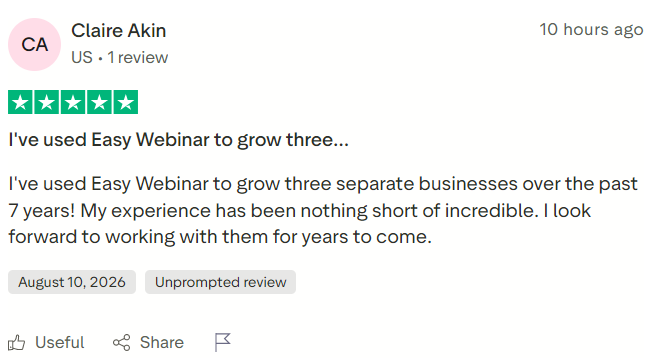
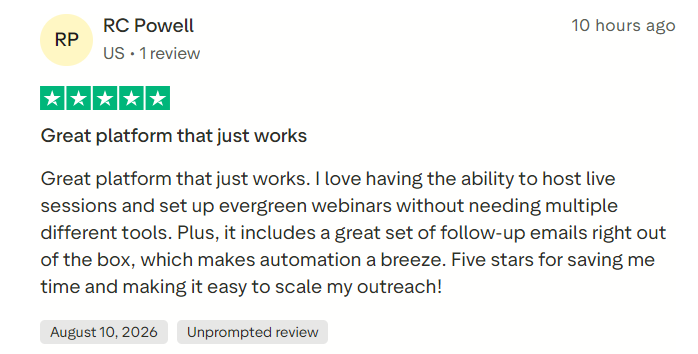
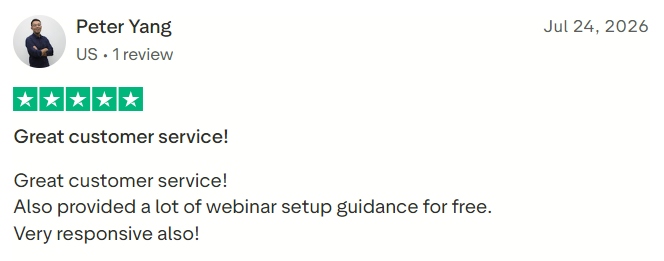
EasyWebinar holds a 4.4-out-of-5 Capterra rating from 91 reviews. Trustpilot also reports 4.4 out of 5 from 50 reviews, including 17 reviews within the previous 12 months.
Common positive themes include:
- Strong live and evergreen webinar capabilities
- Straightforward initial setup
- Responsive, knowledgeable support
- Helpful onboarding
- Useful automation
- Reliable webinar delivery
- Good integrations
- Time savings from follow-up workflows
Reported concerns include:
- Occasional bugs or technical issues
- Customization settings that can be difficult to find
- Features requiring manual calculations
- Billing and refund complaints
- Limitations for multilingual events
- Confusion about what the AI builder creates
- Higher pricing than basic webinar tools
Trustpilot currently shows that 80% of reviewers awarded five stars, while 8% gave one star. Such a distribution suggests that most experiences are positive but that buyers should still review billing, renewal, and cancellation terms carefully.
#1.
#2.
#3.
#4.
EasyWebinar advantages
It supports live and automated webinars
Businesses do not need separate platforms for live presentations and evergreen campaigns. A successful live event can become an automated funnel.
It includes conversion tools
Timed offers, behavior-based CTAs, paid webinars, in-room checkout, lead scoring, and revenue reporting make EasyWebinar more sales-oriented than a meeting platform.
The AI builder can accelerate setup
Generating a first draft of the script, pages, emails, polls, and calls to action can reduce the time required to launch a webinar campaign.
CRM and email functions are available
EasyCRM may replace separate contact-management and follow-up tools for smaller businesses.
It supports multistreaming
EasyCast allows businesses to reach audiences on major social platforms while retaining centralized webinar workflows.
Customer support receives frequent praise
Recent reviews commonly mention responsive staff, setup guidance, and personal assistance.
It provides detailed behavioral data
Attendance, watch time, questions, clicks, replays, and purchases can be used to prioritize follow-up and improve future presentations.
EasyWebinar disadvantages
Automated webinars require Growth
The $44 Launch plan supports only live webinars. Users primarily interested in evergreen or simulive events must pay at least $116 per month.
Webinar limits apply
Plans restrict the number of live and automated webinars, attendees, AI funnels, and recording storage. Businesses running numerous events should calculate their required capacity carefully.
The platform may be excessive for simple events
Organizations that need only occasional live broadcasts may find a conventional webinar or meeting platform easier and less expensive.
Advanced CRM connections require Pro
Native HubSpot and Salesforce synchronization requires the $198 Pro plan or higher.
The extensive feature set creates complexity
EasyWebinar combines hosting, pages, email, CRM, payments, automation, and analytics. That can reduce software fragmentation but also introduces more settings to understand and maintain.
AI does not replace presentation development
The AI builder can draft scripts and campaign assets, but the presenter must still develop, verify, and deliver the core webinar content.
Some customers report billing or technical problems
Although most recent feedback is positive, prospective customers should understand automatic renewal, cancellation, trial conversion, and refund policies before providing payment details.
Using automated webinars ethically
Automated and simulive presentations should not rely on deception. Businesses should avoid fake participant counts, fabricated chat messages, or claims that a prerecorded speaker is answering questions live.
Ethical practices include:
- Accurately describing the event format
- Using genuine attendance and social-proof information
- Providing a real support route
- Clearly explaining offers and deadlines
- Avoiding false scarcity
- Honoring refund and cancellation terms
- Protecting attendee information
Automation is most sustainable when it improves access and consistency without misleading viewers.
Who should use EasyWebinar?
EasyWebinar is a strong candidate for:
- Course creators
- Coaches and consultants
- SaaS marketing and sales teams
- Product-demonstration programs
- Customer-onboarding teams
- Educators and trainers
- Businesses selling through evergreen presentations
- Organizations running paid workshops
- Marketers requiring behavioral lead scoring
- Teams wanting live and automated events in one system
It may be less suitable for:
- Businesses hosting only occasional webinars
- Users seeking a free plan
- Teams needing more than 50 attendees at an entry-level price
- Organizations that already have an effective webinar, CRM, email, and checkout stack
- Users requiring unlimited webinars on a lower plan
- Businesses needing advanced CRM integrations at a modest price
- Anyone seeking automatic generation of finished presentation slides
EasyWebinar alternatives
Common alternatives include Demio, WebinarJam and EverWebinar, eWebinar, Livestorm, Zoom Webinars, WebinarNinja, GoTo Webinar, and StealthSeminar.
Demio emphasizes a polished browser-based attendee experience. WebinarJam and EverWebinar separate live and evergreen functions. eWebinar specializes in automated presentations, while Livestorm supports browser-based events and meetings. Zoom and GoTo Webinar are familiar options for corporate audiences. StealthSeminar focuses strongly on automated webinar funnels.
The right choice depends on webinar format, audience size, monthly event volume, automation requirements, CRM integrations, checkout needs, and budget.
Is EasyWebinar worth it?
EasyWebinar can be worth the cost for businesses that treat webinars as an ongoing source of leads, product education, or revenue.
Its strongest proposition begins with the Growth plan, where automated webinars, EasyCRM, checkout, paid events, multistreaming, and behavior-based follow-up become available. For organizations using these features, $116 per month may cost less than maintaining several separate services.
The value is weaker for occasional live events. A company running a few basic presentations each year may not need EasyWebinar’s funnel, CRM, payment, or automation capabilities.
Before subscribing, use the seven-day trial to build and deliver a complete test campaign. Verify registration, reminders, live presentation controls, automated playback, payment, replay access, CRM synchronization, analytics, mobile performance, and cancellation settings.
Final Verdict
EasyWebinar is a comprehensive, conversion-focused platform with strong live and automated webinar capabilities. Its pricing and learning curve make it best suited to businesses that run webinars regularly and can benefit from integrated pages, automation, CRM, payments, AI assistance, and analytics.
